
Python strip string function removes the specified characters from both the Right-hand side and Left-hand side of a text (by default, White spaces), and this method returns a copy of the string as new.
This function is the combination of right and left strip string methods, and it removes the leading and trailing whitespace. Let us see the syntax of the Python strip string function is shown below.
String_Value.strip(Chars)
- String_Value: A valid argument.
- Chars: This parameter is optional. If it is omitted, it considers the white spaces as a default parameter. So, this method removes the leading and trailing spaces. To change the default value, Please specify the trailing and leading characters to remove from a string.
Python strip string function Example
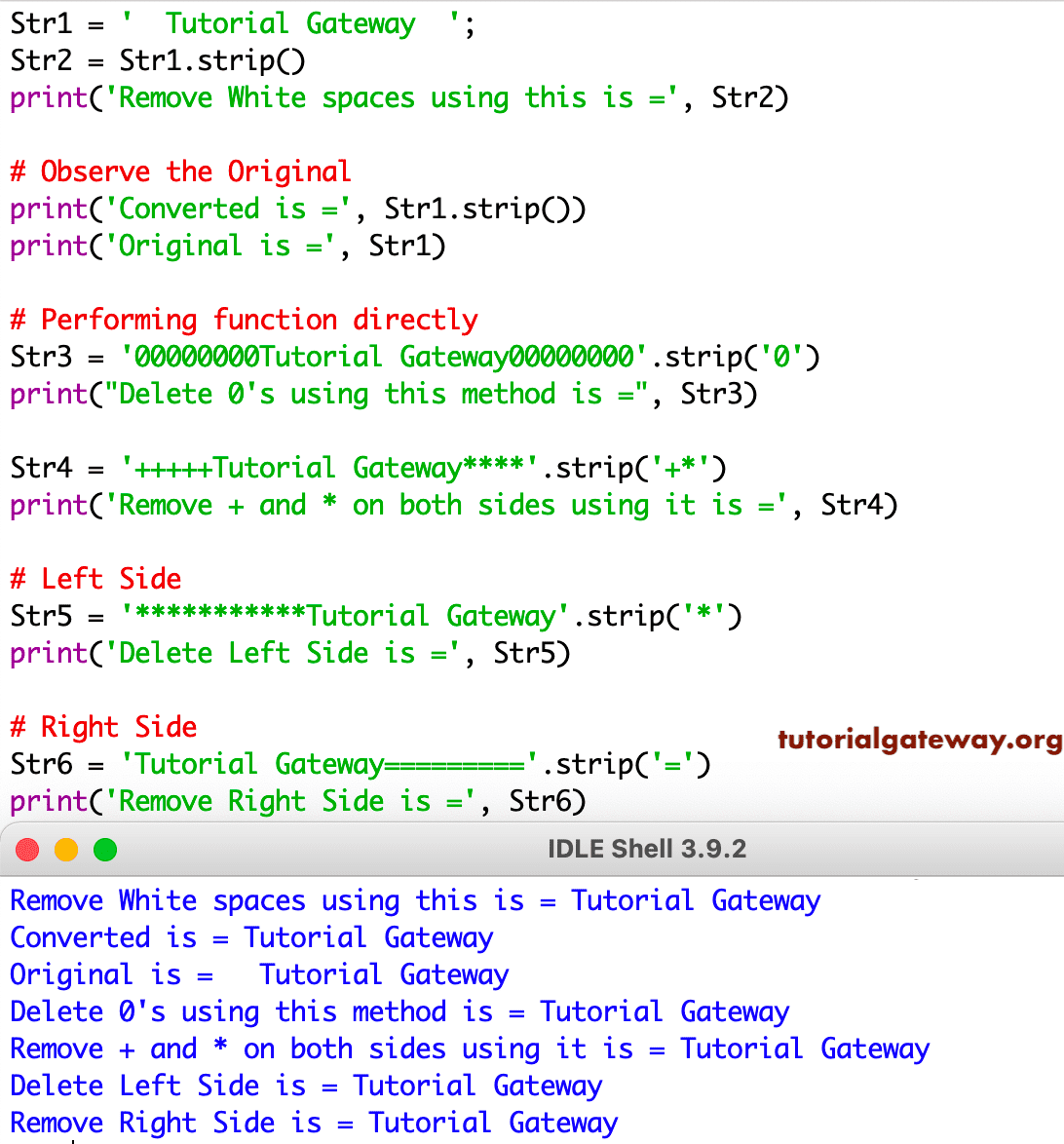
The following set of examples helps to know this strip method. Within this string function example, First, we declared the String variable Str1 and assigned a string with empty spaces on both sides.
The first statement removes the white spaces from both the Left & Right-hand sides of variable Str1 using the strip string function and prints the output. Please refer to the Python String article from our Learn Python page to understand the creation.
From the next two statement outputs, you can observe that this strip() method returns the output in a new, instead of altering the original. In the next line, we assigned the result to itself to change the original string in Python.
As we said earlier, the Python strip string function allows using parameters. Within the next two statements, we have zeros on both sides, and we are passing ‘0’ as the argument, which means it removes zeros from both sides. Next, we used two characters to remove (+ and *).
str5 code block removes only the lead characters or the left-hand side of a given sentence using the strip method. The last two statements removed only the Right-hand side or trailing characters of the string. Please refer to the Python lstrip and Python rstrip functions from the available Python String Methods articles to remove only the left and right sides of a given string.
Str1 = '  Tutorial Gateway  ';
Str2 = Str1.strip()
print('Remove White sapces using this is =', Str2)

# Observe the Original
print('Converted is =', Str1.strip())
print('Original is =', Str1)

# Performing function directly
Str3 = '00000000Tutorial Gateway00000000'.strip('0')
print("Delete 0's using this is =", Str3)

Str4 = '+++++Tutorial Gateway****'.strip('+*')
print('Remove + and * on both using this is =', Str4)

# Left
Str5 = '***********Tutorial Gateway'.strip('*')
print('Delete Left Side using this is =', Str5)

# Right
Str6 = 'Tutorial Gateway========='.strip('=')
print('Remove Right Side using this is =', Str6)
Python strip newline
By default, the built-in string strip function removes blank spaces, leading and trailing whitespace, tab characters (\t), and newlines (\n). So, you don’t have to explicitly mention anything about \n to remove newlines from a string.
In the example below, the original string has a newline at the end, and you can see it in the result. There is an empty line between New York and USA. However, the Python strip() function without arguments removes that newline and displays the USA on the next line.
s = "New York\n"
print(s)
print("USA")

s2 = s.strip()
print(s2)
print("USA")
New York

USA
New York
USA
If the task is to remove the newline and keep the leading and trailing empty spaces as they are, then you must use \n as the strip() function argument. The program below removes only the newline (\n) character from the given string and keeps the leading empty spaces.
s = "     New York\n"
s2 = s.strip("\n")
print(s2)
New YorkPython strip multiple characters
The string strip() function working different when working with substrings. I mean, when we pass a substring or multiple characters, the strip function considers them as a set of individual characters instead of a continuous word or substring. So, we can’t use the strip() method to remove a word.
In the example below, we want to remove “apple” from the given string. However, it considers “apple” as a set of individual characters (a, p, p, l, e). So, if there is any leading or trailing character that matches one of these characters, it will be removed. For example, here, a is removed from banana because the end character is a.
TIP: Use the removeprefix or removesuffix function to delete the leading and trailing substring.
s = "apple banana"
print(s.strip("apple"))
bananStrip 0 from a number
Most people often get confused when they use the Python strip() function on numeric values to remove extra decimal values (.00). For example, most users think the program below would return 100000 as the output. However, it returns 1 because strip considers “.” and “0” as a set of characters that have to be stripped from the start and end positions. So, it removes all zeros from the right side.
s = "100000.0"
print(s.strip(".0"))
1