
Write a Python program to perform tuple slicing with an example. The Tuple slicing has the start position, end position, and steps to jump. The slicing of a tuple starts at the starting position and goes up to the end position but does not include the end position and the syntax of it is
TupleName[starting_position:ending_position:steps]
If you omit the start position, tuple slicing starts at zero index position. Similarly, if you skip the ending_position, slicing will go to the end. And if you forgot both the start and end, tuple slicing will copy all the tuple items.
Python Program to Slice a Tuple
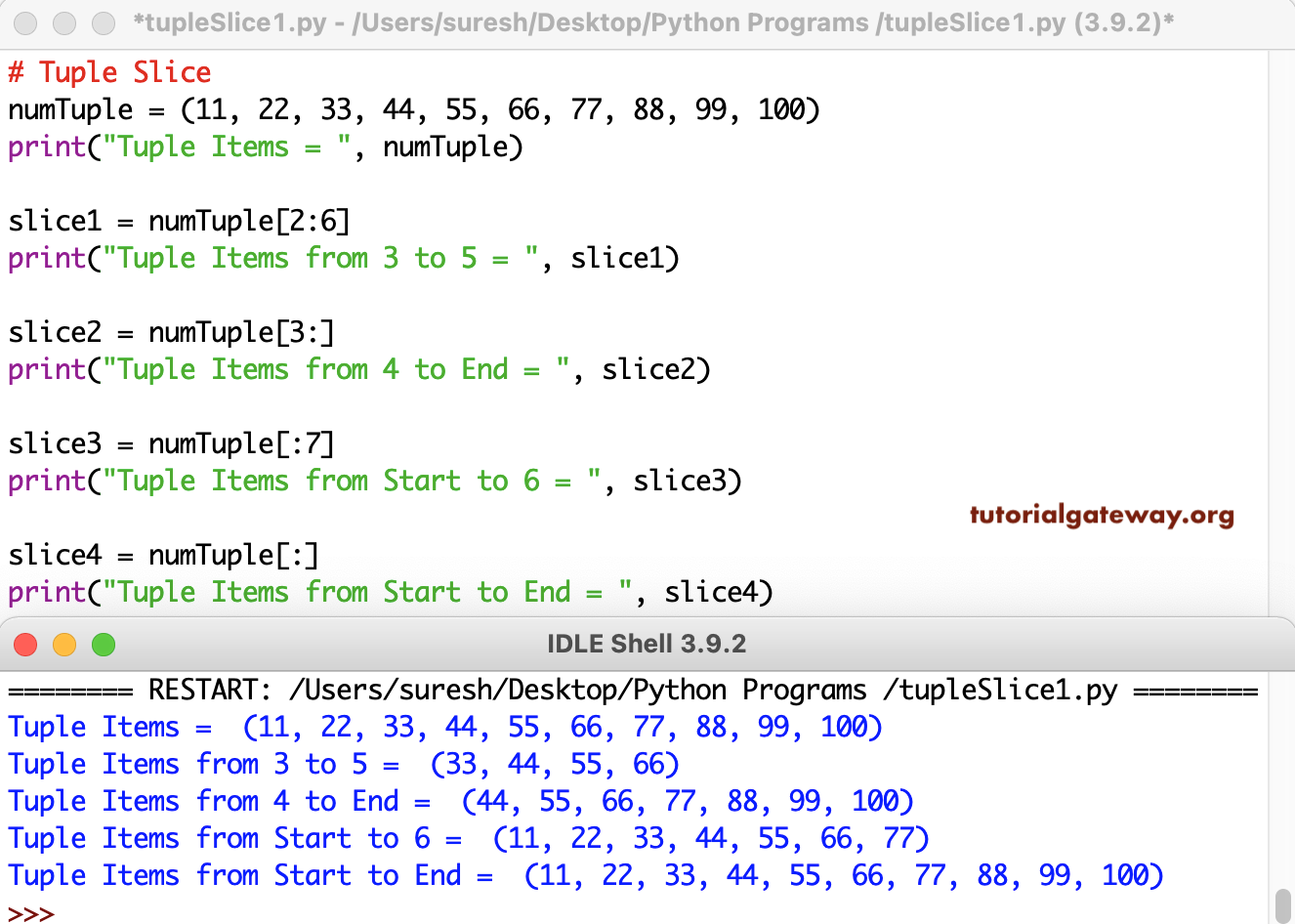
In this example, numTuple[2:6] starts tuple slicing at index position 2 (the physical place is 3) and ends at 5. For more examples, refer to the Python Basic Programs.
# Tuple Slice

numTuple = (11, 22, 33, 44, 55, 66, 77, 88, 99, 100)
print("Tuple Items = ", numTuple)

slice1 = numTuple[2:6]
print("Tuple Items from 3 to 5 = ", slice1)

slice2 = numTuple[3:]
print("Tuple Items from 4 to End = ", slice2)

slice3 = numTuple[:7]
print("Tuple Items from Start to 6 = ", slice3)

slice4 = numTuple[:]
print("Tuple Items from Start to End = ", slice4)
The negative values in the tuple slicing will start the slicing from the right side. For instance, numTuple[-5:-2] starts slicing from the right side of a tuple at the fifth position and goes up to the 2nd position from the right side. In the last example, numTuple[1:7:2] starts tuple slicing from 1 and ends at six and copies every second item. Refer to the Python Tuple article.
# Tuple Slice

numTuple = (11, 22, 33, 44, 55, 66, 77, 88, 99, 100)
print("Tuple Items = ", numTuple)

slice1 = numTuple[-5:-2]
print("Tuple Items = ", slice1)

slice2 = numTuple[-4:]
print("Last Four Tuple Items = ", slice2)

slice3 = numTuple[:-5]
print("Tuple Items upto 5 = ", slice3)

slice4 = numTuple[1:7:2]
print("Tuple Items from 1 to 7 step 2 = ", slice4)
Tuple Items =  (11, 22, 33, 44, 55, 66, 77, 88, 99, 100)
Tuple Items =  (66, 77, 88)
Last Four Tuple Items =  (77, 88, 99, 100)
Tuple Items upto 5 =  (11, 22, 33, 44, 55)
Tuple Items from 1 to 7 step 2 =  (22, 44, 66)
Program to Slice a String Tuple
# Tuple Slice

strTuple = tuple("Tutotial Gateway")
print("Tuple Items = ", strTuple)

slice1 = strTuple[2:10]
print("Tuple Items from 3 to 9 = ", slice1)

slice2 = strTuple[-4:]
print("Last Four Tuple Items = ", slice2)

slice3 = strTuple[2:12:2]
print("Tuple Items from 3 to 9 step 2 = ", slice3)

slice4 = strTuple[::2]
print("Every second Tuple Item = ", slice4)
Tuple Items =  ('T', 'u', 't', 'o', 't', 'i', 'a', 'l', ' ', 'G', 'a', 't', 'e', 'w', 'a', 'y')
Tuple Items from 3 to 9 =  ('t', 'o', 't', 'i', 'a', 'l', ' ', 'G')
Last Four Tuple Items =  ('e', 'w', 'a', 'y')
Tuple Items from 3 to 9 step 2 =  ('t', 't', 'a', ' ', 'a')
Every second Tuple Item =  ('T', 't', 't', 'a', ' ', 'a', 'e', 'a')
Program to slice a tuple using step value
The program below uses the step value to show the result. Here, we set the start and end index positions to the default (0, n – 1) and set the step value to 2. This means it returns every alternative tuple element from 0 to n – 1.
a = (1, 2, 3, 4, 5, 6, 7, 8, 9, 10)
b = a[::2]
print(b)

c = a[::3]
print(c)
(1, 3, 5, 7, 9)
(1, 4, 7, 10)
If we set the step value as -1, it reverses the tuple elements and return in reverse order.
a = (1, 2, 3, 4, 5, 6, 7, 8, 9, 10)
b = a[::-1]
print(b)

c = a[::-2]
print(c)
(10, 9, 8, 7, 6, 5, 4, 3, 2, 1)
(10, 8, 6, 4, 2)
Also Read