
Write a Python program to create a Tuple with an example. In this Programming language, there are two ways to create a Tuple. The first option is using the () brackets, and the other option is the tuple() function.
Syntax to create a tuple
We have to place the required elements within parentheses (), and each element is separated by a comma.
Tuple_name = (item1, item2, item3, …, itemN)Example
The following example creates a tuple of three integer values.
a = (1, 2, 3)
print(a)
(1, 2, 3)Creating an empty tuple
The following example creates an empty tuple using both options.
x = ()

print(x)

y = tuple()
print(y)
Output of an Empty Tuple
()
()
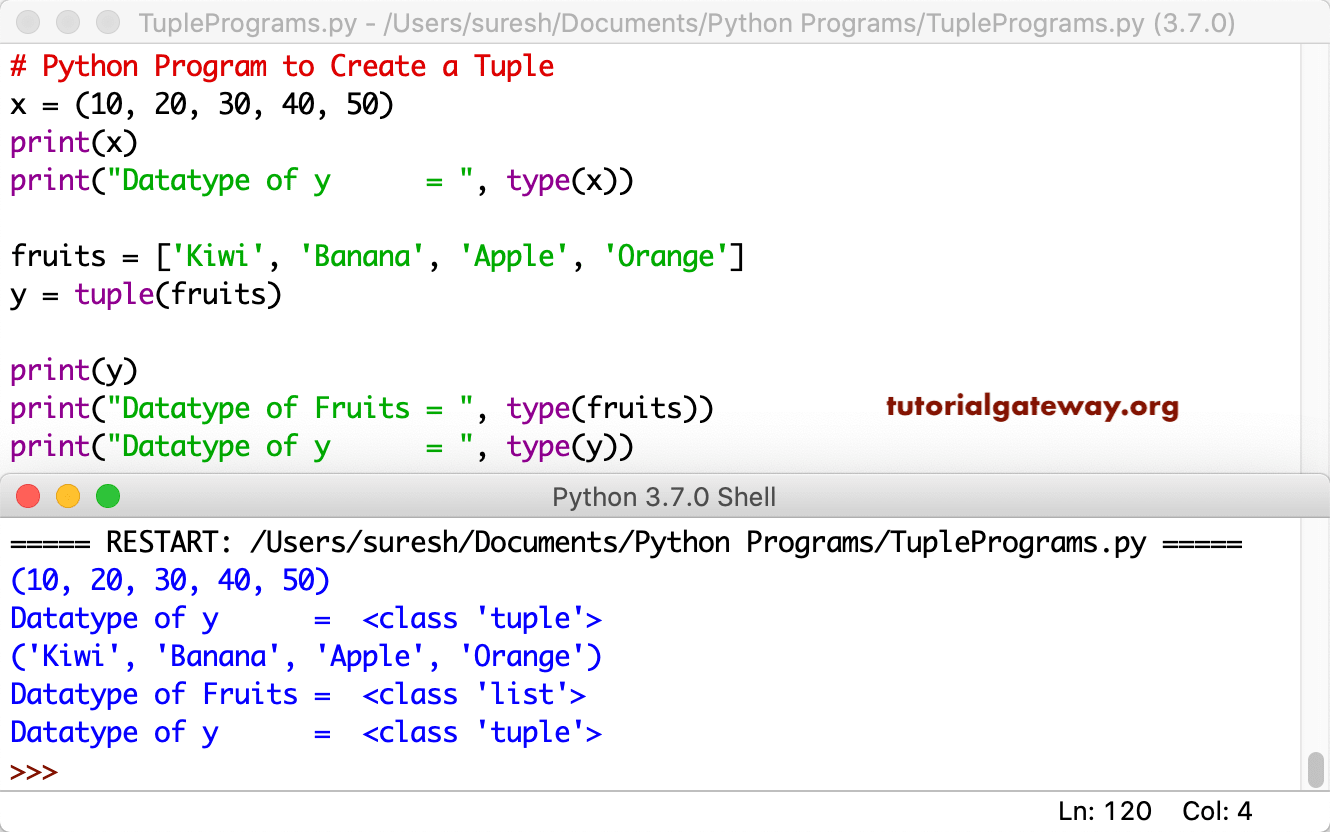
In this example program, we are creating a tuple of items. We all know that the tuple function accepts any iterator and converts it into a tuple. So, we declared a fruit list and used the tuple function to convert it into a Python tuple. Please refer to the Python tutorial page.
x = (10, 20, 30, 40, 50)
print(x)
print("Datatype of y      = ", type(x))

fruits = ['Kiwi', 'Banana', 'Apple', 'Orange']
y = tuple(fruits)

print(y)
print("Datatype of Fruits = ", type(fruits))
print("Datatype of y      = ", type(y))
Python Program to Create Tuple of Different Types
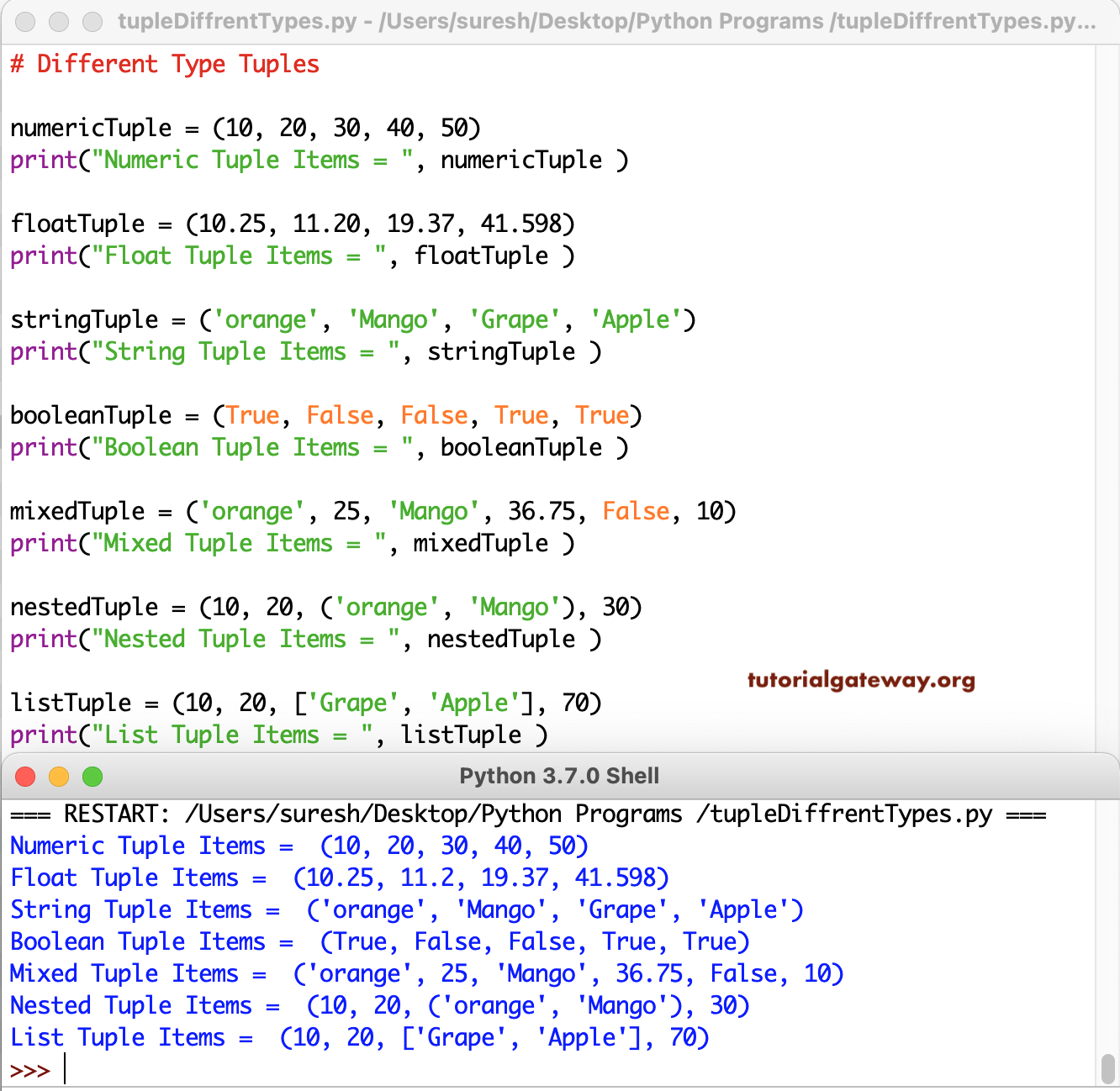
Write a Python Program to Create Different Types of Tuples and print them. This example shows the creation of integer, string, boolean, float, mixed tuple, tuple inside a tuple (nested tuple), and list tuple.
# Different Type Tuples

numericTuple = (10, 20, 30, 40, 50)
print("Numeric Tuple Items = ", numericTuple )

floatTuple = (10.25, 11.20, 19.37, 41.598)
print("Float Tuple Items = ", floatTuple )

stringTuple = ('orange', 'Mango', 'Grape', 'Apple')
print("String Tuple Items = ", stringTuple )

booleanTuple = (True, False, False, True, True)
print("Boolean Tuple Items = ", booleanTuple )

mixedTuple = ('orange', 25, 'Mango', 36.75, False, 10)
print("Mixed Tuple Items = ", mixedTuple )

nestedTuple = (10, 20, ('orange', 'Mango'), 30)
print("Nested Tuple Items = ", nestedTuple )

listTuple = (10, 20, ['Grape', 'Apple'], 70)
print("List Tuple Items = ", listTuple )
Creating a tuple without parentheses
We can also create a tuple without using parentheses around its items; this is also known as tuple packing.
a = 1, 2, 3, 4, 5
print(a)
(1, 2, 3, 4, 5)Creating a tuple from a list and string
In the program below, we declared a list of three items and a string. Next, we used the + operator to create a tuple from a list and a string. Please refer to Python arithmetic operators.
a = ['apple', 'banana', 'orange']
b = 'mango'

c = tuple(a) + (b,)
print(c)
('apple', 'banana', 'orange', 'mango')Otherwise, use the Python list append() function to add the new item to a list. Next, use the tuple() function to convert a list to a tuple.
a = ['apple','banana','orange']
b = 'mango'
a.append(b)
c = tuple(a)
print(c)
('apple', 'banana', 'orange', 'mango')Creating nested tuples
We can nest a tuple inside another. To do so, separate the nested tuple with a comma.
a = (1, 2, 3, (4, 2), 4, (6, 7))
print(a)
print(a[3])
(1, 2, 3, (4, 2), 4, (6, 7))
(4, 2)
Also Read