
Write a Python Program to Remove a Given Key from a Dictionary using the if else statement, del, keys, and pop functions with a practical example.
Python Program to Remove Given Key from a Dictionary using if else
In this program, we are using the Python if statement to check whether the key exists in this Python Dictionary or not. Inside the if statement, there is a del function to delete key-value pairs from this dictionary.
myDict = {'name': 'John', 'age': 25, 'job': 'Developer'}
print("Dictionary Items  :  ",  myDict)

key = input("Please enter the key that you want to Delete : ")

if key in myDict:
    del myDict[key]
else:
    print("Given Key is Not in this Dictionary")

print("\nUpdated Dictionary = ", myDict)
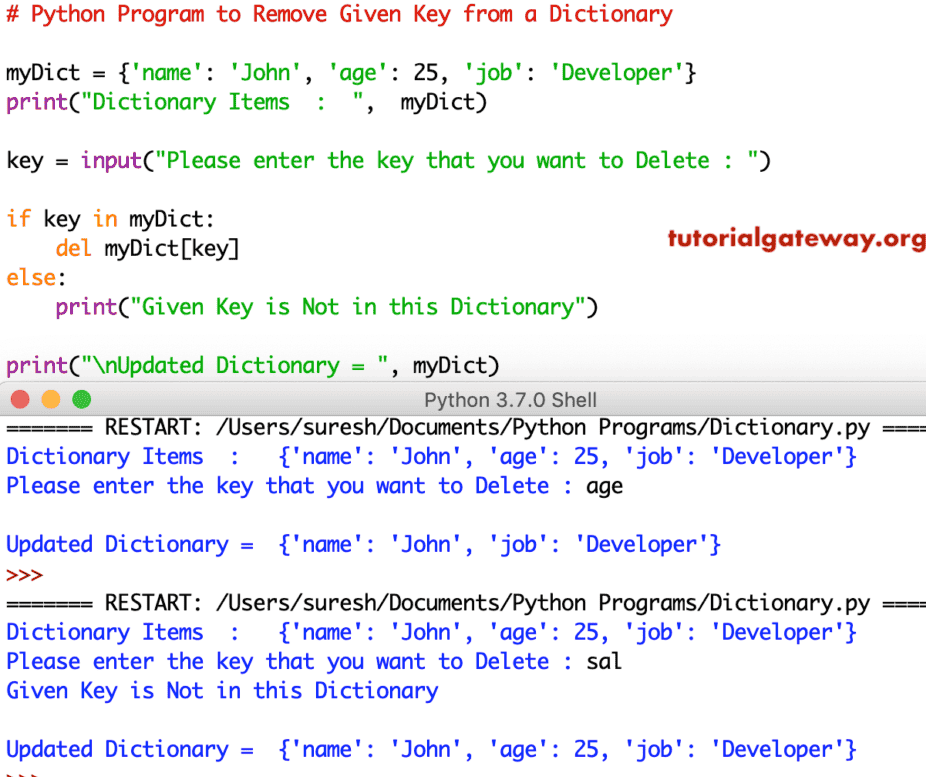
Delete the Given Key from a Dictionary using the del function
This program is another approach to deleting Key values from a dictionary. Here, we are using the Python dict.keys function to find a key inside a Python dictionary.
myDict = {'name': 'John', 'age': 25, 'job': 'Developer'}
print("Dictionary Items  :  ",  myDict)

key = input("Please enter the key that you want to Delete : ")

if key in myDict.keys():
    del myDict[key]
else:
    print("Given Key is Not in this Dictionary")

print("\nUpdated Dictionary = ", myDict)
Remove dictionary key output
Dictionary Items  :   {'name': 'John', 'age': 25, 'job': 'Developer'}
Please enter the key that you want to Delete : name

Updated Dictionary =  {'age': 25, 'job': 'Developer'}
Delete the Given Key from a Dictionary using pop
In this Python program, we are using the dict.pop function to remove the key from a dictionary.
myDict = {'name': 'John', 'age': 25, 'job': 'Developer'}
print("Dictionary Items  :  ",  myDict)

key = input("Please enter the key that you want to Delete : ")

if key in myDict.keys():
    print("Removed Item  :  ", myDict.pop(key))
else:
    print("Given Key is Not in this Dictionary")

print("\nUpdated Dictionary = ", myDict)
Delete dictionary key output
Dictionary Items  :   {'name': 'John', 'age': 25, 'job': 'Developer'}
Please enter the key that you want to Delete : age
Removed Item  :   25

Updated Dictionary =  {'name': 'John', 'job': 'Developer'}
>>>
Dictionary Items  :   {'name': 'John', 'age': 25, 'job': 'Developer'}
Please enter the key that you want to Delete : sal
Given Key is Not in this Dictionary

Updated Dictionary =  {'name': 'John', 'age': 25, 'job': 'Developer'}
>>>
As we all know, the pop() function returns an error if the given key does not exist in a dictionary. To deal with this, add a default message.
d = {'name': 'John', 'age': 25, 'job': 'Developer'}
r = d.pop('income', 'It does not exit')

print(d)
print(r)
{'name': 'John', 'age': 25, 'job': 'Developer'}
It does not exit
Program to remove the last key from a dictionary using popitem()
If the task is to remove the last dictionary item, we can use popitem(). It does not require any key or value. Refer to Python dict.popitem.
d = {'name': 'John', 'age': 25, 'job': 'Developer'}
r = d.popitem()
print(d)
print(r)
{'name': 'John', 'age': 25}
('job', 'Developer')
Program to remove all keys from a dictionary
Use the built-in clear() method to delete all dictionary keys. Refer to the Python dict.clear.
d = {'name': 'John', 'age': 25, 'job': 'Developer'}
d.clear()
print(d)
{}Program to remove multiple key-value pairs from a dictionary
The program below uses a dictionary comprehension to remove multiple key-value pairs from a dictionary.
d = {'id': 10, 'name': 'John', 'age': 25, 'job': 'Developer'}
kl = ['id', 'job']

result = {key:value for key, value in d.items() if key not in kl}
print(result)
{'name': 'John', 'age': 25}Also Read