
Write a Python Program to Map two lists into a Dictionary with a practical example.
Python Program to Map two lists into a Dictionary Example 1
In this Python program, we are using the Python for loop syntax with the Python zip function.
keys = ['name', 'age', 'job']
values = ['John', 25, 'Developer']

myDict = {k: v for k, v in zip(keys, values)}
print("Dictionary Items  :  ",  myDict)
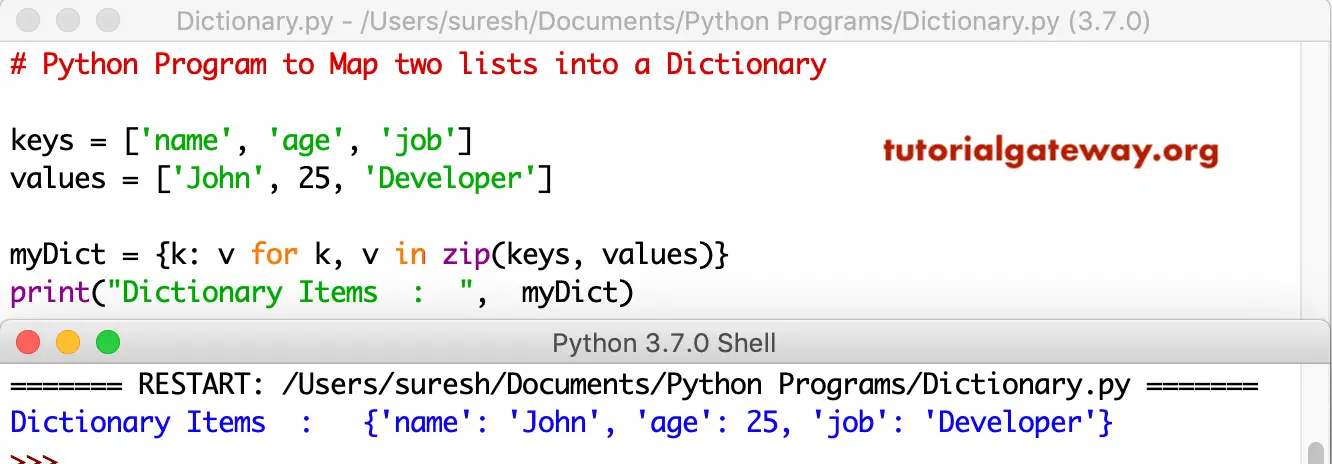
Python Program to insert two lists into a Dictionary using zip
This code is another approach to inserting lists into a Dictionary. In this Python program, we use the dict keyword and the zip function. Refer to the Python Dictionary.
keys = ['name', 'age', 'job']
values = ['John', 25, 'Developer']

myDict = dict(zip(keys, values))
print("Dictionary Items  :  ",  myDict)
Map two lists into a Dictionary output. Refer to python zip.
Dictionary Items  :   {'name': 'John', 'age': 25, 'job': 'Developer'}
>>>
Program to map two lists into a Dictionary Example 3
This map two lists into a Dictionary code is the same as above. However, in this Python program, we are allowing the user to insert the keys and values.
keys = []
values = []
num = int(input("Please enter the Number of elements for this Dictionary : "))
print("Integer Values for Keys")
for i in range(0, num):
    x = int(input("Enter Key " + str(i + 1) + " = "))
    keys.append(x)

print("Integer Values for Values")
for i in range(0, num):
    x = int(input("Enter Value " + str(i + 1) + " = "))
    values.append(x)

myDict = dict(zip(keys, values))
print("Dictionary Items  :  ",  myDict)
Please enter the Number of elements for this Dictionary : 3
Integer Values for Keys
Enter Key 1 = 2
Enter Key 2 = 4
Enter Key 3 = 6
Integer Values for Values
Enter Value 1 = 50
Enter Value 2 = 100
Enter Value 3 = 150
Dictionary Items  :   {2: 50, 4: 100, 6: 150}
Program to convert two lists into a dictionary using a for loop
In the following program, a for loop iterates over two lists. Next, we assign the first list elements as the dictionary key and the second list elements as the dict value.
a = [1, 2, 3, 4]
b = ['apple', 'banana', 'cherry', 'mango']
c = {}

for key, value in zip(a, b):
    c[key] = value

print(c)
{1: 'apple', 2: 'banana', 3: 'cherry', 4: 'mango'}If you don’t want to use the zip function, use the following approach. This program uses a for loop with the range function and iterates from 0 to the first list’s length. Refer to Python range.
a = [1, 2, 3, 4]
b = ['apple', 'banana', 'cherry', 'mango']
result = {}

for i in range(len(a)):
    result[a[i]] = b[i]

print(result)
{1: 'apple', 2: 'banana', 3: 'cherry', 4: 'mango'}Also Read