
Write a Java program to get input from the user or read the given console input. We have a Scanner class in the util package, allowing us to take the console’s content. Before using this class, we must create an instance of that class and use the methods.
The following example demonstrates how to use the Scanner class to read input from a user.
import java.util.Scanner;

public class example {
	public static void main(String[] args) {
		Scanner sc = new Scanner(System.in);
		System.out.println("Enter your name:");
		String name = sc.nextLine();

		System.out.println("Welcome Home " + name);

	}
}
Enter your name:
Suresh
Welcome Home Suresh
In the above example, the following line imports the Scanner class from java.util package. It should be placed above the class name.
import java.util.Scanner;
Create an object of the Scanner class and name it sc (pick your own name). This object allows us to invoke available methods in the Scanner class.
Scanner sc = new Scanner(System.in);
Here, we call the nextLine() method available in the Scanner class to read the line from the console. Assign that line information to a declared variable (name).
String name = sc.nextLine();
The last line prints the message to the output.
System.out.println("Welcome Home " + name);
Java Program to Get Input from User using Scanner
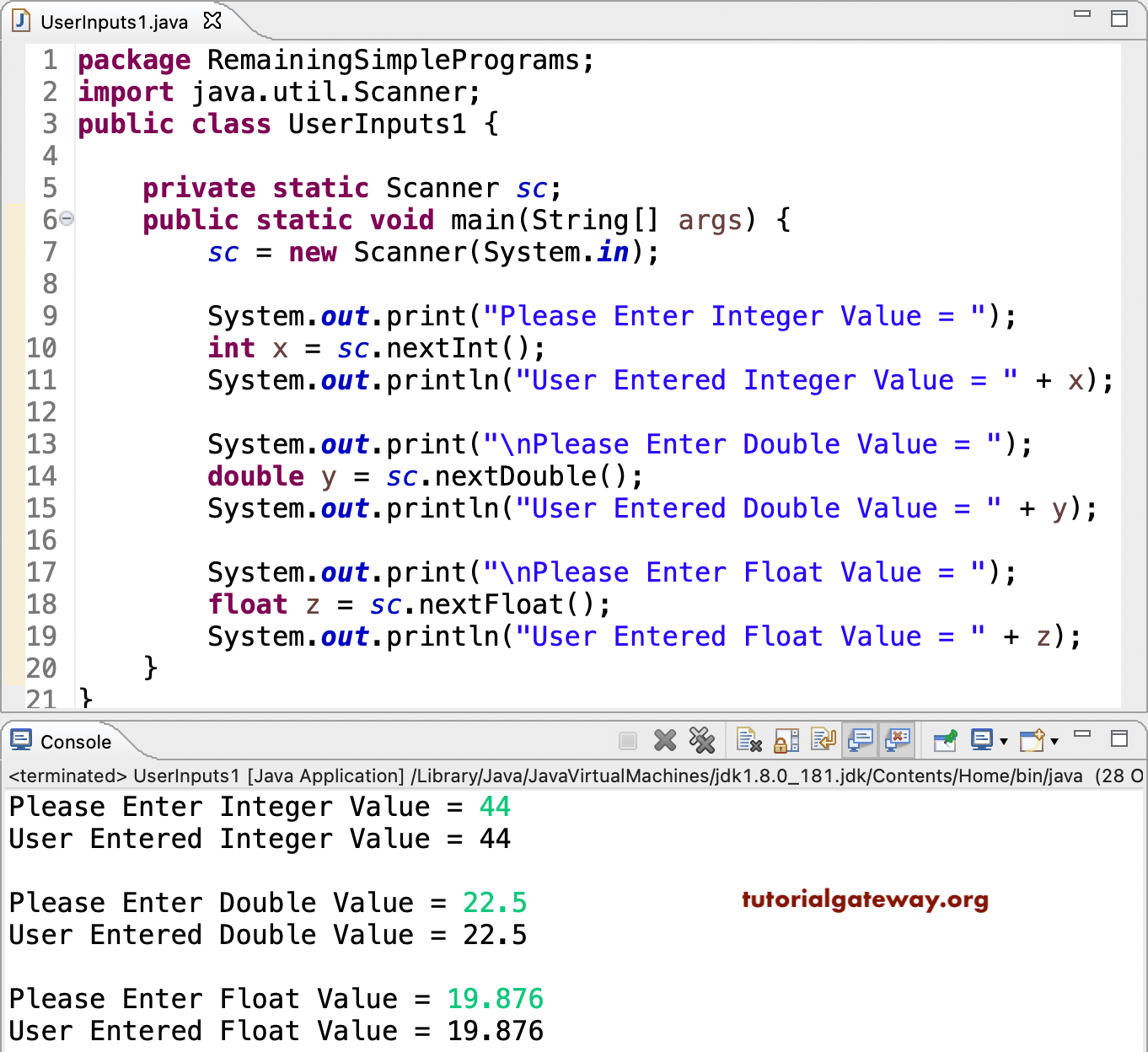
This program reads the user given integer, double, and float values using nextInt(), nextDouble(), and nextFloat() methods. To do so, we imported the Scanner class from the util package. Next, a private static Scanner sc line will create an instance of the Scanner class with the alias name sc. Within the class, there are many functions that include the following but are not limited to.
- nextInt() to read an integer.
- nextDouble() to read Double values.
- nextFloat() to read float values.
- nextBoolean() to read a Boolean value.
- nextByte() to read a byte value.
- nextShort() to read a short value.
- nextLong() to read a long value.
- nextLine() to read a complete line.
package RemainingSimplePrograms;

import java.util.Scanner;

public class UserInputs1 {

	private static Scanner sc;

	public static void main(String[] args) {

		sc = new Scanner(System.in);

		System.out.print("Please Enter Integer Value = ");
		int x = sc.nextInt();
		System.out.println("User Entered Integer Value = " + x);

		System.out.print("\nPlease Enter Double Value = ");
		double y = sc.nextDouble();
		System.out.println("User Entered Double Value = " + y);

		System.out.print("\nPlease Enter Float Value = ");
		float z = sc.nextFloat();
		System.out.println("User Entered Float Value = " + z);

	}
}
In this get input from the User program, we used nextLine() to read the whole line or string, next().charAt(0) to read the first character, and nextByte() to read the byte from the console. Please refer to other Java Programs to find few more Scanner functions.
import java.util.Scanner;

public class Example2 {

	private static Scanner sc;

	public static void main(String[] args) {

		sc = new Scanner(System.in);

		System.out.print("Please Enter Any String = ");
		String str = sc.nextLine();
		System.out.println("User Entered String = " + str);

		System.out.print("\nPlease Enter any Character =  ");
		char ch = sc.next().charAt(0);
		System.out.println("User Entered Character = " + ch);

		System.out.print("\nPlease Enter any Byte =  ");
		Byte b = sc.nextByte();
		System.out.println("User Entered Byte = " + b);
	}
}
Please Enter Any String = Hello
User Entered String = Hello

Please Enter any Character =  M
User Entered Character = M

Please Enter any Byte =  9
User Entered Byte = 9
Java Program to Get Input from User using BufferedReader
We can use the BufferedReader class from the java.io package, which helps read a large amount of data from the console. We can use the popular readLine() to read the entire line or read() to read characters.
import java.io.BufferedReader;
import java.io.InputStreamReader;
import java.io.IOException;

public class example {
	public static void main(String[] args) {
		try {
			BufferedReader br = new BufferedReader(new InputStreamReader(System.in));

			System.out.println("Enter your Age:");
			int age = Integer.parseInt(br.readLine());

			System.out.println("Employee Age = " + age);
		} catch (IOException e) {
			System.out.println("Error reading Input: " + e.getMessage());
		}

	}
}
Enter your Age:
29
Employee Age = 29
Program to Get Input from User using Console class
Similar to the above two approaches, we can use a Console class to read input from the user. It has a dedicated readLine() method to read user input. For passwords, we can use the readPassword() method.
import java.io.Console;

public class example {
	public static void main(String[] args) {
		Console cn = System.console();
		if (cn != null) {
			String name = new String(cn.readLine("Enter Username: "));
			String password = new String(cn.readPassword("Enter Password: "));
			System.out.println("Username = " + name + " and Password = " + password);
		} else {
			System.out.println("Console not available");
		}

	}
}
Enter Username: suresh
Enter Password:

Username = suresh and Password = 12345
If you notice above, when reading the password, it remains blank (a secure way to enter a password).
Also Read