
The built-in C strchr() function is a part of <string.h> header file that searches and returns a pointer to the first occurrence of a character in the given string.
The strchr() function starts searching for a given word from the first character of a main string and goes up to the null terminator (end of the main string \0). If it finds the searching character, the C strchr() function returns a pointer to the index position of that first occurrence of the character. If the character is not found till the null terminator (\0), the strchr() returns a NULL pointer.
C strchr() function sytntax
The syntax of the strchr() function to search for a character in a string is
char *strchr(const char *str, const char *chr_to_look);
In simple words,
strchr(str, ch);
Parameters: From the above strchr() function syntax, it allows two arguments: a string and a character. As both arguments are constant variables, the C strchr() function won’t modify them.
- str: A valid null terminated (\0) string where the search operation happens for the character.
- chr_to_look: It is actual character value that you want to search inside str. It can be a ASCII value of a character, special character, or any other character.
Return Value: The strchr() function searches for a character (ch) inside a main string (str) and returns a pointer to the index position of a first occurrence.
NOTE: If the search character in not found ina string, the strchr() function returns NULL value.
C strchr() function Example
The following example shows how to use the strchr() method to search for a character inside a string and find its first occurrence location. Although, it is not ideal to print the result of the strchr() function without checking the NULL, it gives an idea of how we can use the function.
In the C strchr function example below, the following statements return different results because each has its own purpose.
- char *ch = strchr(str, ‘a’) – It finds the first occurrence of ‘a’ inside a ‘str’ string. If it finds, it returns a pointer to the index position.
- printf(“%s”, ch) – It will print the string starting from the first occurrence of ‘a’ because pointer is at that location.
- printf(“%d”, ch) – It prints the memory location of the first occurrence of ‘a’.
- printf(“%d”, ch – str) – Actual index position of the first occurrence of ‘a’ (including spaces).
#include <stdio.h>
#include<string.h>
int main()
{
    char str[] =  "tutorial gateway";
    char *ch = strchr(str, 'a');
    printf("%s\n", ch);
    printf("%d\n", ch);
    printf("%d", ch - str);
}
Result
al gateway
6291046
6
NOTE: To search for multiple characters, we must initialize multiple characters and perform the same operation, which is a bad practice. So, use the C strpbrk() function.
C strchr function with If Else Statement
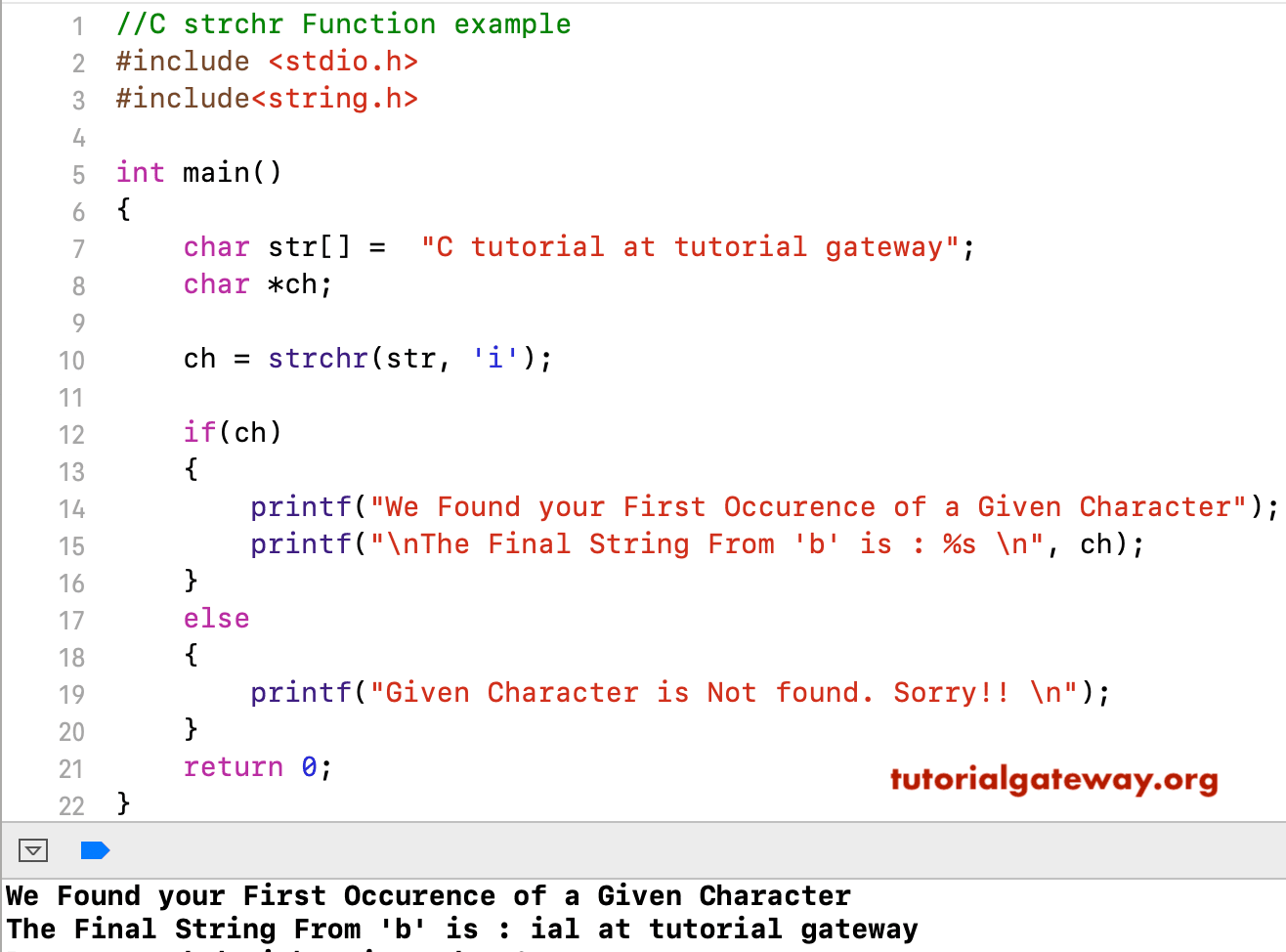
The strchr function searches for the first occurrence of a character within the user-specified string. This C program uses C If else condition to check whether the result is NULL or not. If it is not NULL, print the final string form at that character position. Otherwise, display a sorry message.
This program is the correct approach to utilize the strchr() function because, without checking the NULL result, we must not do any kind of operation.
TIP: You have to include the C Programming #include<string.h> header before using this C String function. Please refer to the remaining C String functions from the Learn C Programming page.
#include <stdio.h>
#include<string.h>

int main()
{
    char str[] =  "C tutorial at tutorial gateway";
    char *ch;

    ch = strchr(str, 'i');

    if(ch)
    {
        printf("We Found your First Occurence of a Given Character");
        printf("\nThe Final String From 'b' is : %s \n", ch);
    }
    else
    {
        printf("Given Character is Not found. Sorry!! \n");
    }
    return 0;
}
Using C strchr() function on User inputs
In this example, we allow the user to enter their own string and a character to search, and then apply the strchr() to search the string. The logic is the same as another example. However, the user has the option to pick their own string and character.
#include <stdio.h>
#include <string.h>
int main()
{
   char str[50], ch;
   printf("Enter a String: ");
   fgets(str, sizeof(str), stdin);

   printf("Enter a character = ");
   scanf("%c", &ch);

   char *res = strchr(str, ch);
   if (res != NULL)
   {
      printf("%s\n", res);
      printf("%d", res - str);
   }
   else
   {
      printf("Not found");
   }
}
Result
Enter a String: hello world!
Enter a character = l
llo world!
2
Use strchr to search for Spaces
We can use the C strchr() function to find the first occurrence of a blank space within a sentence. The following example uses a string with multiple words separated by a blank space. Next, strchr() finds the index position of the first occurring space.
Here, we used the printf(“%s\n”, ch + 1) because ch is the position of the empty space. So, we skip that space and print the text after it. Next, 2 is the index position of the blank space, and the actual position would be 3.
#include <stdio.h>
#include<string.h>
int main()
{
    char str[] =  "hi hello guys";
    char *ch = strchr(str, ' ');
    if(ch != NULL)
    {
    printf("%s\n", ch + 1);
    printf("%d", ch - str);
    }
    else {
      printf("Blank space not found");
    }
}
Result
hello guys
2
Using C strchr() function with the ASCII value
As we mentioned earlier, we can use the ASCII value of a character as the second argument to the strchr() method to perform a search operation on a main string.
Here, the ASCII value of “l” is 108, so the strchr() method searches for “l” and finds the first occurrence at the second index position.
#include <stdio.h>
#include<string.h>
int main()
{
    char str[] =  "hello";
    char *ch = strchr(str, 108);
    if(ch != NULL)
    {
    printf("%s\n", ch + 1);
    printf("%d", ch - str);
    }
    else {
      printf("Not found");
    }
}
Result
lo
2
C strchr() function to search for a non-existing character
The strchr() method in the following example searches for the non-existing ‘m’ character inside the “hello” string. As it won’t find any ‘m’ in a string from start to the null terminator, the strchr() function returns a NULL pointer.
#include <stdio.h>
#include <string.h>

int main()
{
   char str[] = "hello";
   char *ch = strchr(str, 'm');
   if (ch == NULL)
   {
      printf("Not found");
   }
   else
   {
      printf("%d", ch - str);
   }
}
Not foundSearching for a null terminator
We can use the C strchr() function to search for the Null terminator (\0 = end of the string). When we search for the null terminator, the strchr() function returns the index position of the last character (\0).
#include <stdio.h>
#include <string.h>

int main() {
    char str[] = "hello";
    char *ch = strchr(str, '\0');

    if(ch != NULL)
    {
      printf("%d", ch - str);
    }
}
5C strchr() function case-sensitive
The strchr() function performs a case-sensitive search operation for a character inside a string. Therefore, we must be cautious when working with uneven cases, as it treats ‘A’ and ‘a’ differently. The following example returns NULL because the ASCII values of H and h are different.
#include <stdio.h>
#include <string.h>

int main()
{
   char str[] = "hello";
   char *ch = strchr(str, 'H');
   if (ch == NULL)
   {
      printf("H is Not found");
   }
   else
   {
      printf("%d", ch - str);
   }
}
H is Not foundSolution: Case Conversion
We can use either the C strupr() or C strlwr() methods to convert the character (second argument), string (first argument), or both into the uppercase or lowercase. From the above example, please replace the line below
char *ch = strchr(str, 'H');
With
char *ch = strchr(strupr(str), 'H');
C strchr() function with Multiple Occurrence Character
In all the above mentioned example, we are using the strchr() method to find the first occurrence of a character in a string. However, there are situations where we need to find all occurrences of a character within a given string. In such a case, we must use a for loop to iterate over the string and print the index position of each occurrence.
In the example below, we assigned the string variable to a pointer (ch). Next, we used the strchr() function within the while loop to search for a character. If it finds, print the index position, and the ch++ statement will move the pointer to the next position.
#include <stdio.h>
#include <string.h>
int main()
{
   char str[] = "apple banana";
   char *ch = str;

   while ((ch = strchr(ch, 'a')) != NULL)
   {
      printf("Found at index position: %ld\n", ch - str);
      ch++;
   }
}
Result
Found at index: 0
Found at index: 7
Found at index: 9
Found at index: 11
Use C strchr() function to validate an email
Every email requires the @ symbol, and this section performs that basic character search. The following strchr() example searches for the @ symbol inside the user-entered email address. If it is found, the strchr() function returns Valid Email. Please refer to the C strrchr() and C strtok() functions.
#include <stdio.h>
#include <string.h>
int main() {
    char email[100];
    printf("Please Enter Email = ");
    scanf("%s", email);

    if (strstr(email, "@") != NULL) {
        printf("Valid Email");
    } else {
        printf("Invalid Email");
    }
}
Result
Please Enter Email = hi@info.com
Valid Email
Extracting Domain Name from email using strchr
The following example demonstrate show to use the C strchr() function to extract the domain name (part) from a given email address. First, we must use the strchr() function to search for the @ symbol in an email. If it is found, then print the string from that position. Here,
- char *ch = strchr(email, ‘@’); captures a pointer of the first occurrence of the @ symbol index position.
- printf(“Domain = %s”, ch + 1); prints the characters or the remaining string starting from the @ symbol. Here, ch + 1 skips the @ symbol and displaces the domain part.
#include <stdio.h>
#include <string.h>

int main()
{
   char email[] = "contact@tutorialgateway.org";
   char *ch = strchr(email, '@');
   if (ch != NULL)
   {
      printf("Domain = %s", ch + 1);
   }
   else
   {
      printf("Not found");
   }
}
Domain = tutorialgateway.orgUse C strchr() to find the first occurrence of a delimiter
The following example searches for the first occurrence of the @ symbol and stores the text before it (extracting the user name). Here, we used the strlen() to find the length, memcpy() to copy the text, and sizeof() to get the total number of bytes it can handle.
#include <stdio.h>
#include <string.h>

int main() {
    char str[] = "tutorialgateway@domain.com";
    char res[50];
    char *ch = strchr(str, '@');

    size_t len = ch ? (size_t)(ch - str) : strlen(str);

    if (len >= sizeof(res))
    {
        len = sizeof(res) - 1;
    }
    memcpy(res, str, len);
    res[len] = '\0';
    printf("UserName: %s\n", res);
}
UserName: tutorialgatewayIf you intend to trim the existing string to username, we can use the code below. The program below removes the text from the @ symbol and keeps the username.
#include <stdio.h>
#include <string.h>
int main() {
    char str[] = "tutorial@domain.com";
    char *ch = strchr(str, '@');

    if(ch != NULL)
    {
      *ch = '\0';
    }
    printf("UserName: %s\n", str);
}
UserName: tutorial