
MySQL UTC_DATE is one of the Date Functions, which returns the current UTC date value in YYYY-MM-DD or YYYYMMDD format. The syntax of the UTC date Function is as shown below:
UTC_DATE;

UTC_DATE();
MySQL UTC_DATE Example
The following query shows you the basic use of this UTC date function. Also, read about the MySQL CONVERT_TZ function.
SELECT UTC_DATE;

SELECT UTC_DATE();
2019-02-19

2019-02-19
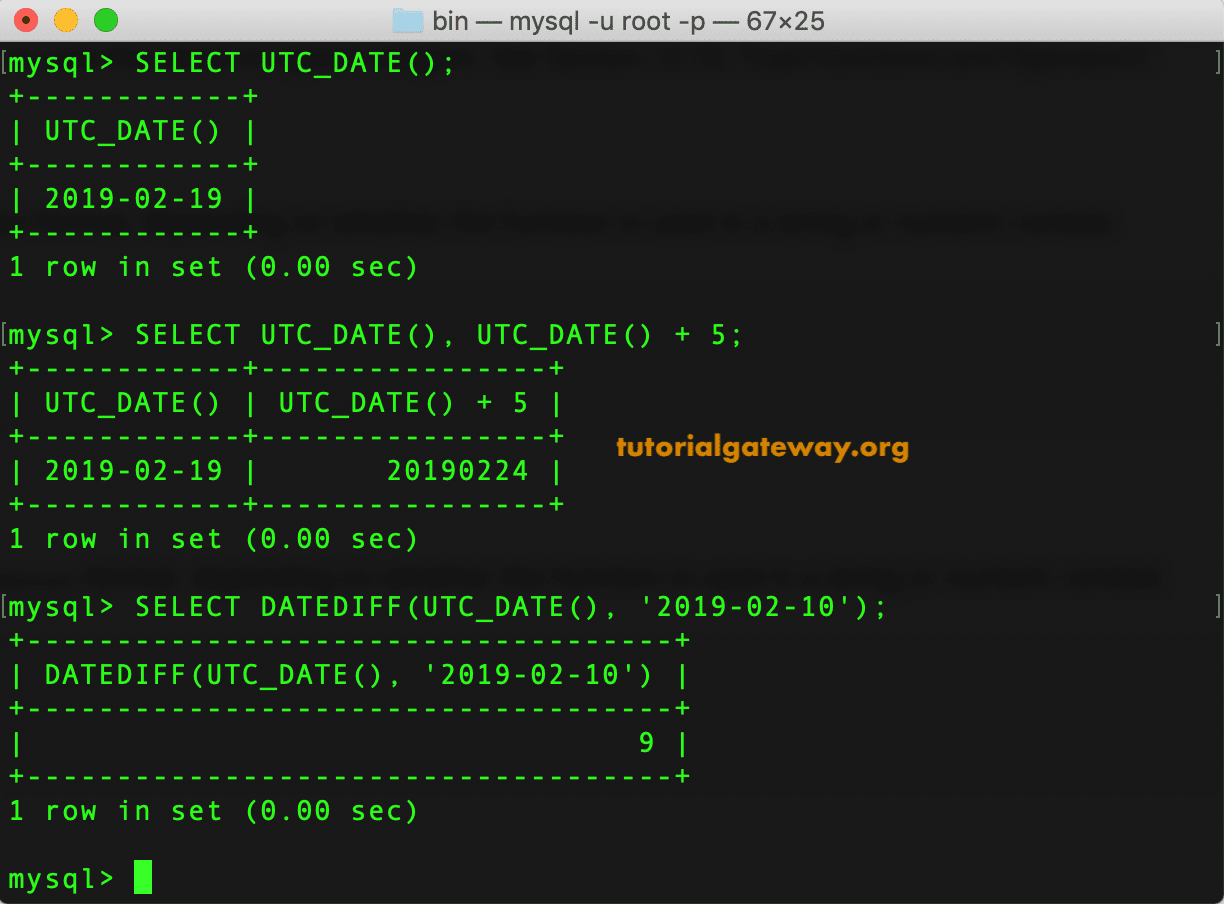
As you can see from the above screenshot, both the statements are returning the same output. I mean, both of them are showing today’s UTC date in YYYY-MM-DD format. This Function example shows you what happens when adding days to this method.
SELECT UTC_DATE(), UTC_DATE() + 5;

As you can see, it has added those 5 days to the current dt and displays the MySQL UTC date in YYYYMMDD string format.
MySQL UTC_DATE Example 2
In this example, we are using the MySQL DATEDIFF method to compare the date difference between the UTC and custom date.
SELECT DATEDIFF(UTC_DATE(), '2019-02-10');
TIP: Please refer to the MySQL UTC_TIMESTAMP and MySQL CURDATE functions from the list of available MySQL Date functions.