
Write a Java Program to find the Power of a Number using For Loop and While Loop. You can also use math.pow function to calculate the Power of a Number.
Java Program to find Power of a Number Using For Loop
This program allows the user to enter a number and exponent value. By using these values, this program calculates the Power of a given number using For Loop. Refer to the Java math.pow function.
import java.util.Scanner;

public class PowerofaNumber {
	private static Scanner sc;
	public static void main(String[] args)
	{
		int number, i, exponent;
		long power = 1;
		sc = new Scanner(System.in);

		System.out.print(" Please Enter any Number : ");
		number = sc.nextInt();

		System.out.print(" Please Enter the Exponent Value : ");
		exponent = sc.nextInt();

		for(i = 1; i <= exponent; i++)
		{
			power = power * number;
		}
		System.out.println("\n The Final result of " + number + " power " + exponent + " = " + power);
	}
}
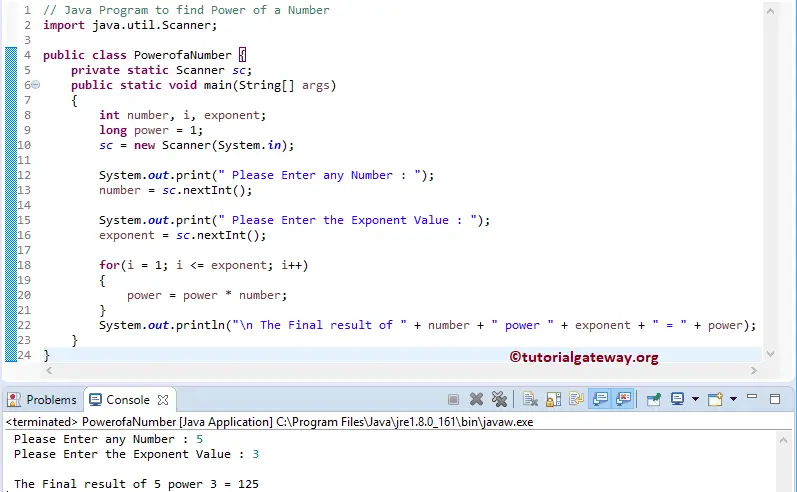
We initialized the integer i value to 1, and also (i <= exponent) condition helps the Javac to terminate when the condition fails.
for(i = 1; i <= exponent; i++)
{
	power = power * number;
}
User entered values in the above Program to find the Power example are number = 5, and exponent = 3.
First Java Iteration: for(i = 1; i <= 3; i++)
It means the condition inside it (1 <= 3) is True
power = 1 * 5 = 5
i++ means i becomes 2
Second Iteration: for(i = 2; i <= 3; i++)
It means the condition inside it (2 <= 3) is True
power = 5 * 5 = 25
i becomes 3
Third Iteration: for(i = 3; 3 <= 3; i++)
power = 5 * 25 = 125
i becomes 4
Fourth Iteration: for(i = 4; i <= 3; i++). It means the condition inside the For loop (4 <= 3) is False. So, the compiler comes out of the Java For Loop and prints the output.
Java Program to Find Power of a Number Using While Loop
This program calculates the power of any given number using While Loop. We just replaced the For loop in the above Java Program with the While loop. If you don’t understand the While Loop, please refer to the article here: Java while loop.
import java.util.Scanner;

public class PONr1 {
	private static Scanner sc;
	public static void main(String[] args)
	{
		int number, i = 1, exponent;
		long po = 1;
		sc = new Scanner(System.in);

		System.out.print(" Please Enter any Number : ");
		number = sc.nextInt();

		System.out.print(" Please Enter the Exponent Value : ");
		exponent = sc.nextInt();

		while(i <= exponent)
		{
			po = po * number;
                        i++;
		}
		System.out.println("\n The Final result of " + number + " power " + exponent + " = " + po);
	}
}
 Please Enter any Number : 4
 Please Enter the Exponent Value : 5

 The Final result of 4 power 5 = 1024
Calculate the power of a number using the Math.pow() function
In the following program, we use the built-in Math.pow() function to calculate the power of a given number.
public class example {

	public static void main(String[] args) {
		int base = 2, exponent = 4;
		double res = Math.pow(base, exponent);
		System.out.println("Power = " + res);
	}
}
Power = 16.0TIP: Using the Math.pow() function, we can compute the power of a negative number. For example, if we replace the base value with -2, the result = 16.0.
Calculate the power of a number using recursion
In the program below, we defined a calculatePower function that recursively calls itself with an updated exponent to find the power of a given number. Refer to the Java Arithmetic operators.
- 5 * calculatePower(5, 3)
- 5 * 5 * calculatePower(5, 2)
- 5 * 5 * 5 * calculatePower(5, 1)
- 5 * 5 * 5 * 5 * calculatePower(5, 0)
- Since the exponent becomes 0, the if condition is evaluated to true. The final value = 5 * 5 * 5 * 5 = 625.
public class example {
	public static double calculatePower(int base, int exponent) {
		if (exponent == 0)
			return 1;
		return base * calculatePower(base, exponent - 1);
	}

	public static void main(String[] args) {
		int base = 5, exponent = 4;
		double res = calculatePower(base, exponent);
		System.out.println("Power = " + res);
	}
}
Power = 625.0The following program is another approach, and it is a bit faster compared to the above program to calculate the power of a number.
public class example {
	public static int calculatePower(int base, int exponent) {
		if (exponent == 0)
			return 1;
		int half = calculatePower(base, exponent / 2);
		if (exponent % 2 == 0)
			return half * half;
		else
			return base * half * half;
	}

	public static void main(String[] args) {
		int base = 6, exponent = 3;
		int res = calculatePower(base, exponent);
		System.out.println("Power = " + res);
	}
}
Power = 216Also visit