
The built-in C strstr function is predefined in <string.h> header file that returns a pointer to the index position of the first occurrence of a substring in the given string. When working with string data, it is common to search for a specific word or part of a string (substring).
In such a scenario, we can use the C strstr() function to search for a substring inside a string. If the substring is found, the strstr() function returns the pointer to the index position of the first character of the first occurrence. If there are multiple occurrences, the strstr() function reports the first occurrence.
C strstr syntax
The syntax of the strstr() method to locate a substring inside a string is
char *strstr(const char *str, const char *str_to_look);
In short, we can call it
strstr(str, substring);
Parameters: From the above C strstr() function syntax, the following are the two parameters that it accepts.
- str: A valid string where the search happens.
- str_to_look: It is a substring (text) that you want to search inside str. Here, the strstr() function searches for the null-terminated substring (str_to_look) inside the str (null-terminated).
Return Value: The strstr() function returns a pointer pointing to the first character of the substring (str_to_look) within the str (first argument). If the substring is not found, it returns a Null pointer.
NOTE: If the second argument (substring) is an empty string, the strstr() function returns the first argument as the output.
How does the C strstr() function work?
First, the strstr() function reads the substring (the second argument) from the starting position to the end (until it reaches the null terminator).
Next, it searches the “str” (the first argument) from the start position to the null terminator for the substring. The search operation terminates when it reaches the null terminator in the first argument. If it finds, it returns the pointer to the first occurrence of the substring.
The search operation does not include the null terminator in the str and substring arguments. In short, the strstr() function simply ignores the null terminator (\0).
TIP: Please refer to the C String and C String Functions articles from the C Programming tutorial page.
C strstr() function Example
The following example illustrates the working functionality of the strstr() function to perform a search operation in a string. Here, we declared a string (s1) and a substring (s2) with a default text.
As we mentioned earlier, the strstr() function returns a pointer to the first occurrence of a matching substring. The return value points to the first character in a substring, so
- If we use the “%s”, it prints the string starting with that character and prints until it reaches the null terminator.
- If we use the “%d”, it prints the memory location of the first character (“g”) of a substring (s2) inside the original string (s1).
- result – s1: It returns the index position of the first occurrence of the substring. It returns 9 because the first character of the substring (“gate”) appears in the 9th index position.
#include <stdio.h>
#include<string.h>
int main()
{
   char s1[50] = "tutorial gateway website";
   char s2[15] = "gate";

   char *result = strstr(s1, s2);
   printf("%s\n", result);
   printf("%d\n", result);
   printf("%d",  result - s1);
}
Result
gateway website
6291017
9
NOTE: To use the strstr() function, you have to include the #include<string.h> header before the main program.
C strstr() function with If Else statement
The strstr function searches for the first occurrence of a substring within the user-specified string. When we combine it with the If Else block, we can perform different operations based on the result.
This program will help you understand the strstr() function with multiple examples using if-else statements. Here, if a pointer to the given substring is found, then statements inside the if block will print; otherwise, else block statements will print. Refer to the if-else in C.
#include <stdio.h>
#include<string.h>

int main()
{
    char str[] =  "This is abc working in abc Company";
    char *res;

    res = strstr(str, "abc");

    if(res)
    {
        printf("We Found your String");
        printf("\nThe Final String From 'abc' is : %s \n", res);
    }
    else
    {
        printf("String Not found. Sorry!! \n");
    }
    return 0;
}
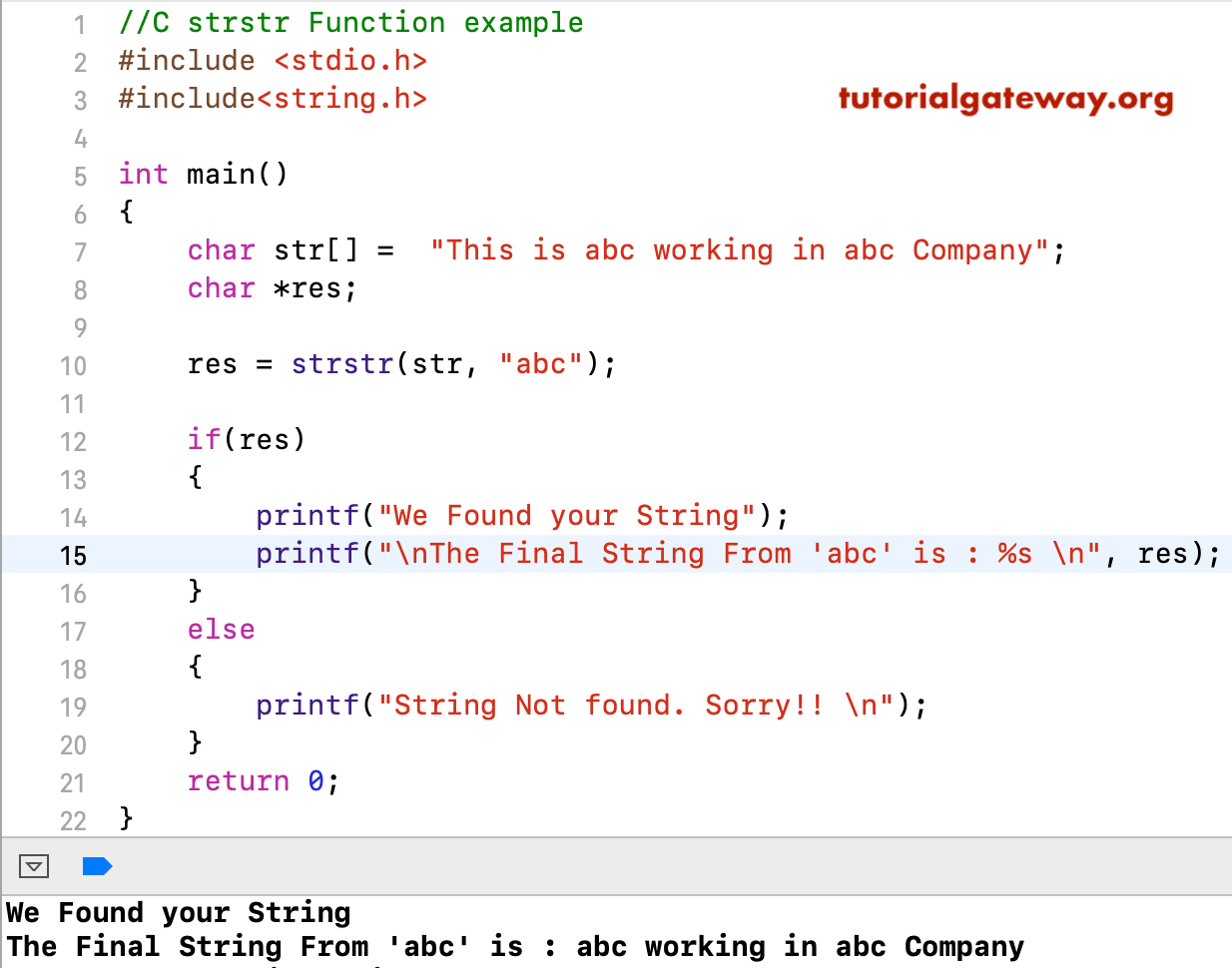
strstr() – Substring not present in a string
The following C strstr() function example shows what happens when the searching substring is not present in a given string.
When you perform a search for a non-existing substring (s2) in a main string (s1), the strstr() function will return a NULL value.
#include <stdio.h>
#include <string.h>
int main()
{
   char s1[] = "tutorial gateway";
   char s2[] = "apple";
   char *res = strstr(s1, s2);
   printf("%s", res);

   if (res == NULL)
   {
      printf("\nNot found");
   }
   else
   {
      printf("\nFound at %d Posistion", res - s1);
      printf("\nString From 'apple' = %s \n", res);
   }
}
(null)
Not found
C strstr() function with multiple occurrences of a substring
When working with string data, it is common to see a word or group of words repeated multiple times. The following example shows how the strstr() function deals with a string containing multiple occurrences of a substring.
As we specified earlier, the strstr() function starts looking for the substring from the starting position. When it finds the substring for the first time, it simply stops searching the string and captures the pointer. So, it does not matter how many times the substring repeats; the strstr() function always returns the first occurrence.
#include <stdio.h>
#include <string.h>
int main()
{
   char s1[] = "green apple and custard apple";
   char s2[] = "apple";
   char *res = strstr(s1, s2);

   if (res != NULL)
   {
      printf("Found String at %d Position", res- s1);
      printf("\nFinal String From 'apple' = %s \n", res);
   }
   else
   {
      printf("String Not found. Sorry!!");
   }
}
Result
Found String at 6 Position
Final String From 'apple' = apple and custard apple
C strstr() function with an empty substring
If we use the strstr() method with an empty substring (the second argument), it returns the text inside the first argument (main string).
#include <stdio.h>
#include<string.h>
int main()
{
   char s1[50] = "tutorial gateway";
   char s2[15] = "";

   char *result = strstr(s1, s2);
   printf("%s\n", result);
}
tutorial gatewayString and substring are equal
When you use the strstr() function on a string and search for a substring, if both are the same, the function returns the pointer to the first index position of the original string. As any index position starts from 0, the strstr() function returns 0. Check pointers in C post.
#include <stdio.h>
#include<string.h>
int main()
{
   char s1[] = "tutorial";
   char s2[] = "tutorial";
   char *result = strstr(s1, s2);
   printf("%s\n", result);
   printf("%d\n", result - s1);
}
tutorial
0
Passing NULL Values to strstr
The built-in C strstr() function won’t allow NULL values as arguments. If you pass a NULL value as the first or the second argument, the strstr() function throws the Segmentation fault error.
#include <stdio.h>
#include<string.h>
int main()
{
   char s1[] = "tutorial";

   char *result = strstr(s1, NULL);
   printf("%s\n", result);
}
Segmentation faultC strstr() function case sensitivity
The built-in strstr() method is case-sensitive, meaning HI, Hi, and hi are different. So, by default, the strstr() performs se-sensitive search operations.
#include <stdio.h>
#include<string.h>
int main()
{
   char s1[50] = "Tutorial Gateway";
   char s2[15] = "gate";
   char *result = strstr(s1, s2);
   if(result != NULL) {
      printf("Found");
   }
   else {
      printf("Not Found");
   }
}
Not FoundSolution: Use case conversion functions
We can use the C strlwr() or C strupr() functions to convert the main string and the substring to lowercase or uppercase. Then, apply the strstr() function to get the perfect result (case-insensitive).
#include <stdio.h>
#include<string.h>
int main()
{
   char s1[50] = "Tutorial Gateway";
   char s2[15] = "gate";

   char *result = strstr(strlwr(s1), strlwr(s2));
   if(result != NULL) {
      printf("Found");
      printf("\n%s", result);
   }
   else {
      printf("Not Found");
   }
}
Found
gateway
Use C strstr() function to replace a string
The following example shows how to use the strstr() function to identify the substring in a given string and replace it with a new word or sentence. To demonstrate it, you must understand the C strncpy(), C strcpy(), and C strcat() functions.
In the code below,
- strncpy(result, str, index) – It copies the string text from the str variable that is before the substring (USA). So, the result = INDIA,
- strcat(result, new) – The strcat() function concatenates the above result with the new word (RUSSIA). We successfully replaced the old substring with a new one in a string.
- strcat(result, pos + strlen(old)) – In our main string, there is some information (text) after the USA. So, we must append that text to the result. The strcat() function appends that text. Refer C strlen post.
#include <stdio.h>
#include <string.h>

int main() {
    char str[] = "INDIA, USA, UK, CHINA";
    char old[] = "USA";
    char new[] = "RUSSIA";
    char result[100];
    char *pos = strstr(str, old);

    if (pos != NULL) {
        int index = pos - str;

        strncpy(result, str, index);
        result[index] = '\0';

        strcat(result, new);
        strcat(result, pos + strlen(old));
    }
    else {
        strcpy(result, str);
    }
    printf("Original: %s\n", str);
    printf("Modified: %s\n", result);
}
Result
Original: INDIA, USA, UK, CHINA
Modified: INDIA, RUSSIA, UK, CHINA
Use the C strstr() function for Email validation
If the application is domain-centric and allows only the email address of a particular organization. In such a case, we can filter invalid emails by domain name.
The following strstr() example searches for the “tutorialgateway.org” domain inside the user-entered email address. If it is found, the strstr() function returns Valid Email.
#include <stdio.h>
#include <string.h>
int main() {
    char email[100];
    printf("Please Enter Email = ");
    scanf("%s", email);

    if (strstr(email, "tutorialgateway.org") != NULL) {
        printf("Valid Email");
    } else {
        printf("Invalid Email");
    }
}
Result
Please Enter Email = hi@info.com
Invalid Email

Please Enter Email = contact@tutorialgateway.org
Valid Email
C strstr() function finds Spam and Error
Similar to the above, we can use the strstr() function to detect specific words (substrings) inside a message (sentence). For example, we can use the strstr() function to check whether there is a word called Error, spam, or any restricted word.
#include <stdio.h>
#include <string.h>

int main() {
    char msg[100] = "The result is an error 2324 message";

    if (strstr(msg, "error") != NULL) {
        printf("Error Detected");
    } else {
        printf("Succesful Result");
    }
}
Error DetectedUse strstr() function to check the file extension
We can use the strstr() function to check the file extension of an incoming file. It helps to understand which file is coming, and we can restrict the user from using unsupported documents.
#include <stdio.h>
#include <string.h>

int main() {
    char fileName[100] = "employee.csv";

    if (strstr(fileName, ".csv") != NULL) {
        printf("Its a CSV File");
    } else {
        printf("No CSV File Found (Use CSV).");
    }
}
Its a CSV File