
This post shows how to write a Java Armstrong Number program using a while loop, a for loop, string manipulation, functions, and recursion. We use both the native approach and more advanced techniques to check and display the Java Armstrong Numbers between 1 and n, and find the Nth value.
If the given number is equal to the sum of its own individual digits raised to the power of the total number of digits (count), then it can be an Armstrong Number in Java. This example post helps the end users understand the concepts of multiple loops, functions, recursions, and mathematical operations. For example, 371 is an Armstrong number because the Number of individual digits in 371 = 3, and
371 = 3³ + 7³ + 1³ ==> 27 + 343 + 1 ==> 371
The steps below explain the standard approach for checking the Java Armstrong Number.
- First, count the total number of individual digits in a given number. Here, 371 means 3, 1200 means 4, and 15000 means 5.
- Enter any number and divide it into individual digits (For Example, divide 371 into 3, 7, and 1).
- Calculate the power of n (comes from the first step) for each digit in a number (comes from the second step) and add those values to the sum variable.
- Compare the original value with the Sum value calculated in the third step.
- If they match exactly, it is an Armstrong number; otherwise, it is not.
Java Program to Check Armstrong Number for 3-Digit Number
The following program uses the for loop to check whether the user-declared three-digit number is an Armstrong number or not.
public class example {

	public static void main(String[] args) {
		int n, temp, r, tot = 0;
		n = 371;

		for (temp = n; temp > 0; temp /= 10) {
			r = temp % 10;
			tot += Math.pow(r, 3);
		}

		if (tot == n) {
			System.out.format("\n% d is an Armstrong Number", n);
		} else {
			System.out.format("\n% d is Not an Armstrong Number", n);
		}
	}
}
371 is an Armstrong NumberTIP: This example is exclusively for a three-digit number; we don’t have to find the total number of digits explicitly. If you don’t want to use the Math.pow function, please replace Math.pow(r, 3) with (r * r * r).
From the above mentioned Java output, we want to check whether 371 is an Armstrong number or not. First, we declared the required variables, such as n, temp, r, and tot. Next, set the n variable value to 371 (original number).
The next step is to divide 371 into individual digits and find the cube of each digit. For this, we used the for loop to iterate over the numbers.
- Initialization(temp = n): Set the original value (371) to a temp variable. It preserves the original value and performs the calculations on a temp variable.
- Condition (temp > 0): This Java Armstrong number program condition ensures the temp value (originally set to 371) should be greater than zero.
- Increment or Decrement (temp /= 10): On each iteration, remove the last digit from the temp variable. It means 1st iteration, temp = 371, 2nd iteration, temp = 37, 3rd iteration, temp = 3, and for the fourth iteration, the condition fails.
- On each iteration, the r = temp % 10 statement stores the last digit in the r variable.
- Using the Math.pow function, we will find the remainder raised to the power of 3 (total number of digits).
- Add this value to the tot variable.
- Finally, using the if else statement, compare this to the tot variable value against the original value. If both are the same, it is an Armstrong number. Otherwise, it is not. Here, 371 is true.
Java Program for Armstrong Number using While Loop
The above approach is limited to three-digit numbers, anything between 100 and 999. However, there are Armstrong numbers after 999, and if we use the same technique, it returns a false result.
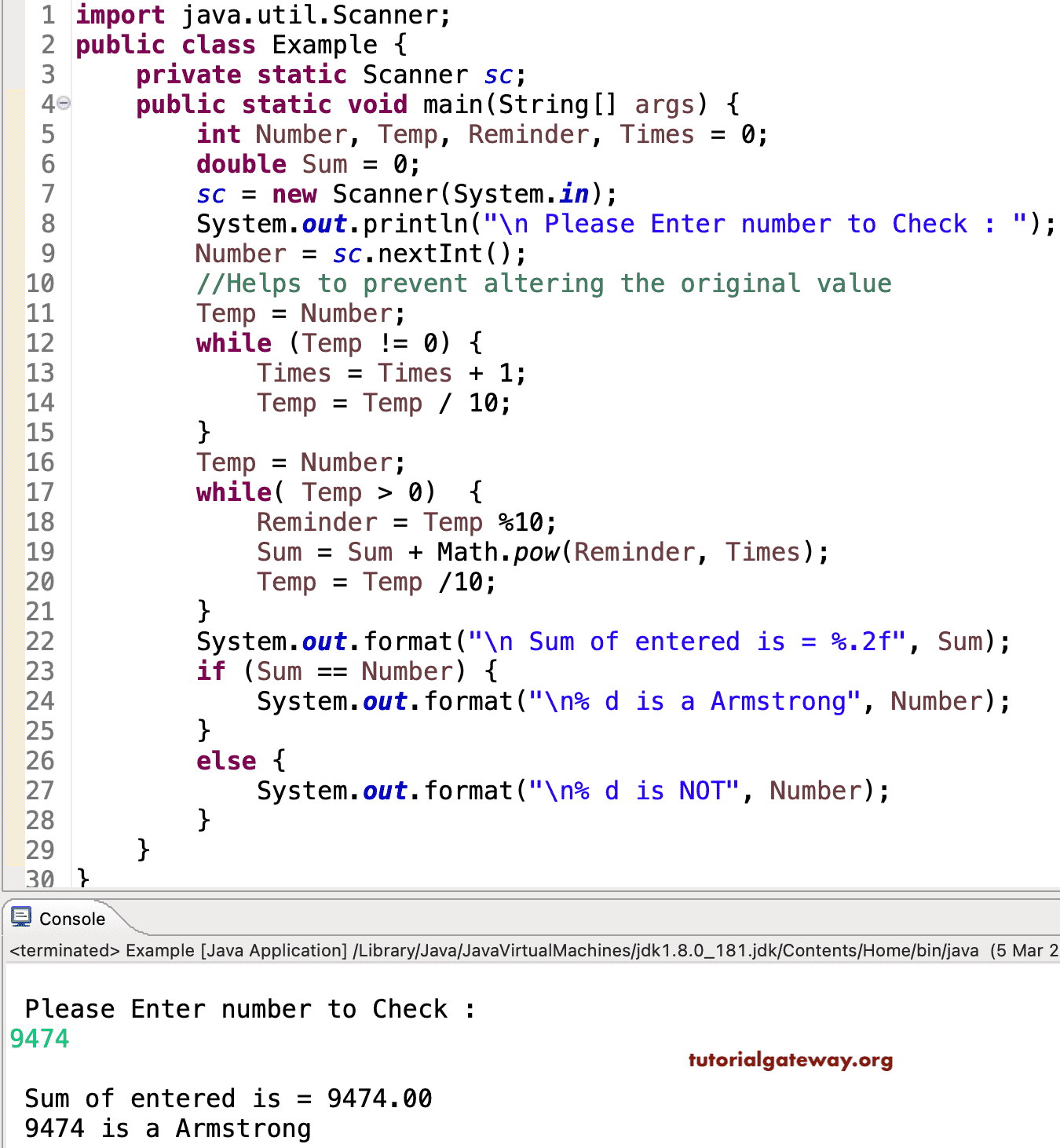
For example, if we assign a four-digit number, it should find the sum of each digit’s power raised to 4. However, the above approach calculates the cube of each digit. To handle this situation, we need one more loop to find out, or rather, count the total number of digits in a given number. To explain this, we use the Java program below that accepts a user-entered value and checks whether a number is Armstrong or not using a while loop.
import java.util.Scanner;
public class Example {
	private static Scanner sc;

	public static void main(String[] args) {
		int Number, Temp, Reminder, Times = 0;
		double Sum = 0;
		sc = new Scanner(System.in);
		System.out.println("\n Please Enter number to Check : ");
		Number = sc.nextInt();

		//Helps to prevent altering the original value
		Temp = Number;
		while (Temp != 0) {
			Times = Times + 1;
			Temp = Temp / 10;
		}

		Temp = Number;
		while( Temp > 0)  {
			Reminder = Temp %10;
		    Sum = Sum + Math.pow(Reminder, Times);
		    Temp = Temp /10;
		}
		System.out.format("\n Sum of entered is = %.2f", Sum);

		if (Sum == Number) {
			System.out.format("\n% d is a Armstrong", Number);
		}
		else {
			System.out.format("\n% d is NOT", Number);
		}
	}
}
stem.out.format("\n Sum of entered number is = %.2f", Sum);

		if (Sum == Number) {
			System.out.format("\n% d is a Armstrong", Number);
		}
		else {
			System.out.format("\n% d is NOT", Number);
		}
	}
}
In this Java Armstrong Number program, the first two statements allow the user to enter a positive integer and assign it to a Number variable. Next, we assign the original value to the Temp variable. It will help us preserve our original value and then perform all the manipulation on the Temp variable.
The first While loop will ensure that the given number is greater than 0, and statements inside the while loop will split the numbers and count individual digits inside the given value. If you do not understand the logic, please refer to the Count Number of Digits in a Number article.
The second Java Armstrong number program’s while loop will keep the given number greater than 0. Next, it calculates the sum of the digits raised to the power of the total number of digits (comes from the first while loop).
- Reminder = Temp %10; – This statement uses the modulus operator to retrieve the last digits in a given number.
- Sum = Sum + Math.pow(Reminder, Times); – First, the pow() function calculates the last digit (Remainder) raised to the power of n. Here, n = total number of digits comes from the first for loop. Next, add that result to the Sum variable.
- Temp = Temp /10; – This statement removes the last digit in a number (Temp).
Let us see the working principle of this Java Armstrong Number program using a while loop iteration-wise. Here, the user-entered values are Number = 9474 and Sum = 0
Temp = Number = 9474
First Iteration of the Armstrong Number
- Reminder = Temp %10 = 9474 % 10 = 4
- Sum = Sum + Math.pow (Reminder, Times)
For this example, Times = 4 because the number of digits in 9474 = 4. So, math.pow function will multiply the Reminder 4 times.
Sum = Sum + 44 => 0 + 256 = 256
Temp = Temp /10 => 9474 /10 = 947
If the digit count is 5, the reminder will be multiplied by 5.
2nd Iteration of Java Armstrong number program: From the first iteration, the values of both Temp and Sum changed as Temp = 947 and Sum = 256.
- Reminder = 947 % 10 = 7
- Sum = 256 + (7 * 7 * 7 * 7) => 256 + 2401 = 2657
- Temp = 947 /10 = 94
3rd Iteration: Temp = 94 and Sum = 2657
- Reminder = 94 % 10 = 4
- Sum = 2657 + (4 * 4 * 4 * 4) = >2657 + 256 = 2913
- Temp = 94 /10 = 9
4th Iteration: Temp = 9 and Sum = 2913
- Reminder = 9 % 10 = 9
- Sum = 2913 + (9 * 9 * 9 * 9) => 2913 + 6561 = 9474
- Temp = 9/10 = 0
Here, Temp= 0. So, the while loop condition will fail. Once the Javac compiler exits the while loop, it enters the following If else statement.
if (Number == Sum ) – the condition will check whether the user enters one that is exactly equal to Sum or not. If this Java condition is True, it is an Armstrong Number; otherwise, it is not.
NOTE: Remove the while loop to count the digits if you are looking for numbers below 1000. And then replace the code below.
Sum = Sum + Math.pow(Reminder, Times);
With
Sum = Sum + (Reminder * Reminder * Reminder)
Java Program to Check Armstrong Number using For Loop
This program uses a for Loop and checks whether the given number is Armstrong or not. If you observe the code below, it’s the same logic that was defined in the while loop example. However, we initialize the values within the loop, and the increment/decrement also happens inside the for loop.
In this Java Armstrong number program, the first for loop is to count the total number of digits in a given number. In the second for loop, the (t > 0) condition evaluates to true until the value reaches zero. On each iteration, we retrieve the last digit and calculate its power, raised to the result of the first for loop.
import java.util.Scanner;

public class example {

private static Scanner sc;

	public static void main(String[] args) {
		int n, t, Reminder, d = 0;
		double tot = 0;
		sc = new Scanner(System.in);
		System.out.println("Please Enter Number to Check : ");
		n = sc.nextInt();

		for (t = n; t != 0; t = t / 10) {
			d++;
		   }

		for(t = n; t > 0; t =  t /10 )  {
			Reminder = t %10;
		    tot += Math.pow(Reminder, d);
		   }
		System.out.format("\nSum of entered number is = %.2f", tot);

		if (tot == n) {
			System.out.format("\n%d is an Armstrong Number", n);
		}
		else {
			System.out.format("\n%d is Not an Armstrong Number", n);
		}
	}
}
Please Enter Number to Check :
153

Sum of entered number is = 153.00
153 is an Armstrong Number
NOTE: We can use the String valueOf and the length() function to find the total number of digits. In the later section, we will provide an example.
Using Numeric Strings
Another approach to checking for an Armstrong number in Java involves converting the numeric value to a string. It involves the following steps.
- Convert the given number to a string.
- Use the length() function to find the total number of digits in a given number.
- As we know the total digits, use the for loop to iterate from the index position 0 to (n-1).
- Within the loop, use the charAt() function to extract each character at the index position. First iteration of the Java Armstrong number program: the 1st (left-side) value.
- Convert each character to an integer.
- For each converted integer, use the pow() function to calculate the sum of those digits raised to the power of the total number of digits (length value).
public class example {
	public static void main(String[] args) {
		int n = 407;
		double sum = 0;

        String strN = Integer.toString(n);
        int digits = strN.length();

        for (int i = 0; i < digits; i++) {
        	int first = strN.charAt(i) - '0';
        	sum += Math.pow(first, digits);
        }
		System.out.format("\nSum of entered number is = %.2f", sum);

		if (sum == n) {
			System.out.format("\n%d is an Armstrong Number", n);
		}
		else {
			System.out.format("\n%d is Not an Armstrong Number", n);
		}
	}
}
Sum of entered number is = 407.00
407 is an Armstrong Number
Remember, you can also use the following for loop instead of the above-mentioned loop. Just replace the for loop in the above example with the following code, and the result will be the same.
for (char c : strN.toCharArray()) {
            sum += (int) Math.pow(c - '0', digits);
        }
Java Program to Check Armstrong Number using Functions
This program allows you to enter any positive integer and check whether a number is Armstrong or not using Functions.
As we already know, functions are meant for reusability. Breaking complex calculations into multiple functions gives more readability and control over the code. In this Java Armstrong number program example, we have created two separate functions.
- getDigits(): It will return the total number of digits in a given number. Here, the valueOf function converts the given number to a string. Next, the length function returns the total number of characters (digits).
- isArmstrong(): It uses the same for loop logic that we mentioned in our earlier example. It calculates the power of each digit in a number raised to the value returned by the getDigits() function and finds the total.
public class example {

	public static void main(String[] args) {
		int Number = 8208;
		int d = getDigits(Number);

		if (Number == isArmstrong(Number, d)) {
			System.out.format("\n%d is an Armstrong Number", Number);
		}
		else {
			System.out.format("\n%d is Not an Armstrong Number", Number);
		}
	}

	public static int getDigits(int n) {
		return String.valueOf(n).length();
	}
	public static double isArmstrong(int n, int digits) {
		int last;
		double tot = 0;

		for(; n > 0; n /= 10 )  {
			last = n %10;
		    tot += Math.pow(last, digits);
		   }
		System.out.format("\nThe Sum = %.2f", tot);
		return tot;
	}
}
The Sum = 8208.00
8208 is an Armstrong Number
When the Javac compiler reaches the isArmstrong(Number, d) line in the main() program, the compiler will immediately jump to the following function:
public static double isArmstrong(int n, int digits)
Java Program to Check Armstrong Number using Recursion
This program uses the recursion or recursive function concept to check whether a number is an Armstrong.
To check whether a given number is an Armstrong number, we need multiple loops to iterate over the individual digits. However, we can replace those loops by calling the same function recursively. Similar to the loop, the recursion concept performs the same task repeatedly with updated values.
In this example, we used three different functions. The third one isArmstrong(), is optional because we can directly check the condition inside the main function.
In this Java Armstrong Number program, within the function sumOfDigits(int n, int digits), we use the If statement to check whether the given number is equal to zero or not. If true, return zero as the output. Otherwise, retrieve the last digit and calculate its power raised to the number of digits. Next, we used the arithmetic addition operand combined with the following statement.
sumOfDigits(n / 10, digits)
The above Statement will help to call the sumOfDigits function recursively with the updated value. If we miss this statement, it will terminate after completing the first line.
public class example {
	public static void main(String[] args) {
		int val = 1634;
		if (isArmstrong(val)) {

			System.out.println(val + " is an Armstrong Number.");

		} else {
			System.out.println(val + " is not an Armstrong Number.");

		}
	}

	public static int getDigits(int n) {
		return String.valueOf(n).length();
	}

	public static int sumOfDigits(int n, int digits) {
		if (n == 0) {
			return 0;
		}
		int last = n % 10;
		return (int) Math.pow(last, digits) + sumOfDigits(n / 10, digits);
	}

	public static boolean isArmstrong(int num) {
		int n = getDigits(num);
		return num == sumOfDigits(num, n);
	}
}
1634 is an Armstrong Number.Using OOPS
In this Java program to find an Armstrong Number, we divide the code using Object-Oriented Programming. To get this, we will first create a class with a method to reverse an integer recursively.
package FrequentPrograms;

public class ArsNum {
	int Times, Reminder;

	public int Count_Numbers(int num) {
		while (num != 0) {
			Times = Times + 1;
			num = num / 10;
		}
		return Times;
	}

	public double Check_Arm(int num) {
		double Sum = 0;
		Times = Count_Numbers(num);
		while(num > 0) {
			Reminder = num %10;
			Sum = Sum + Math.pow(Reminder, Times);
			num = num /10;
		   }
		return Sum;
	}

}
Within the Main program, we will create an instance and call the methods
package FrequentPrograms;

import java.util.Scanner;

public class Example {
	private static Scanner sc;

	public static void main(String[] args) {
		int Number;
		double Sum = 0;

		sc = new Scanner(System.in);
		System.out.println("\n Please Enter number to Check : ");
		Number = sc.nextInt();

		ArsNum arms = new ArsNum();
		Sum = arms.Check_Arm(Number);

		System.out.format("\n Sum of entered is = %.2f", Sum);

		if (Sum == Number) {
			System.out.format("\n% d is an Armstrong", Number);
		}
		else {
			System.out.format("\n% d is NOT", Number);
		}
	}
}
 Please Enter number to Check :
371

 Sum of entered is = 371.00
 371 is an Armstrong number
In this Java Armstrong Number program, we created a function to count the digits in it. Next, we declared one more function to calculate the sum of the power of n for each digit present in that integer. We already explained the Logic in the above example.
NOTE: With the Check_Arm(int num) method, we call the Count_Number() function to get the Times value. If you want to pass the power value as an argument, declare one more argument and remove this line.
Main Class Analysis:
First, we created an instance / created an Object of the ArsNum Class
ArsNum arms = new ArsNum();
Next, we are calling the Check_Arm method.
Sum = arms.Check_Arm(Number);
Lastly, the System.out.println statement will print the output.
Java Program to Print Armstrong Numbers between 1 and N
This program allows the user to enter the start and end values. This program will find the Armstrong Numbers between the Minimum and Maximum values.
The For Loop helps the Javac compiler iterate between Minimum and Maximum Variables. The iteration starts at the Minimum, and then it will not exceed the Maximum variable.
Within the loop, there are two nested while loops:
- One for finding the total number of digits of a number, subject to that particular iteration.
- The second while loop separates each digit in that number and calculates the sum of the digits raised to the power of n (from the first nested while loop).
- The if statement checks whether this sum equals the original value of the iteration. If True, it is an Armstrong number.
NOTE: The value will change on each iteration. The above-mentioned three steps work on each number (1 to N).
import java.util.Scanner;
public class Example {
	private static Scanner sc;

	public static void main(String[] args) {
		int Temp, i, Minimum, Maximum, Reminder;
		sc = new Scanner(System.in);

		System.out.println("\n Please Enter the Minimum : ");
		Minimum = sc.nextInt();

		System.out.println("\n Please Enter the Maximum : ");
		Maximum = sc.nextInt();

		for(i = Minimum; i <= Maximum; i++) {
			int sum = 0, Times = 0;
			Temp = i;
			while (Temp > 0) {
				Times = Times + 1;
				Temp = Temp / 10;
			}
			Temp = i;
			while( Temp > 0)  {
				Reminder = Temp %10;
				sum = sum + (int)Math.pow(Reminder, Times);
				Temp = Temp /10;
			}
			if(sum == i) {
				System.out.format(" %d  ", i);
			}
		}
	}
}
From 1 to 10000 output

The following example is the modified, cleaner version of the above Java Armstrong number program. It uses two separate functions to find the total number of digits and the sum.
import java.util.Scanner;

public class example {
	private static Scanner sc;

	public static void main(String[] args) {
		int start, end, i;
		sc = new Scanner(System.in);

		System.out.println("\nEnter the start Value: ");
		start = sc.nextInt();

		System.out.println("\nEnter the end Value: ");
		end = sc.nextInt();

		for (i = start; i <= end; i++) {
			int Times;
			Times = getDigits(i);

			if (i == isArmstrong(i, Times)) {
				System.out.format(" %d  ", i);
			}
		}
	}
	public static int getDigits(int n) {
		return String.valueOf(n).length();
	}

	public static double isArmstrong(int n, int digits) {
		int last;
		double total = 0;

		for(; n > 0; n /= 10 )  {
			last = n %10;
		    total += Math.pow(last, digits);
		   }
		return total;
	}

}
Enter the start Value:
100

Enter the end Value:
100000
 153   370   371   407   1634   8208   9474   54748   92727   93084
Java Program to find the Nth Armstrong Number
In our previous examples, we have shown how to check whether a number is an Armstrong number or not, and also mentioned ways to print them between a range. However, there are situations where we have to find the Nth Amstrong number.
In the example Java program below, we used the same technique to check for an Armstrong number that we mentioned earlier. However, we have added one extra while loop within the main function. The while loop starts from 0 and traverse upto the end variable (nth number). Within the loop, call the isArmstrong() function with the n variable (starting from 1) as the argument. It means the function checks for Armstrong numbers from 1 to N. If true, increment the count value, and when the count reaches the end value. It is the Nth Armstrong number.
import java.util.Scanner;

public class example {
	private static Scanner sc;

	public static void main(String[] args) {
		int end, count = 0, n = 1;
		sc = new Scanner(System.in);

		System.out.println("\nEnter the end Value: ");
		end = sc.nextInt();

		while (count < end) {
			if (isArmstrong(n)) {
				count++;
			}
			if (count == end) {
				System.out.println("The " + end + "th Armstrong number = " + n);
			}
			n++;
		}
	}

	public static int getDigits(int n) {
		return String.valueOf(n).length();
	}

	public static boolean isArmstrong(int n) {
		int last, temp;
		double tot = 0;
		int digits = getDigits(n);
		temp = n;
		for (; n > 0; n /= 10) {
			last = n % 10;
			tot += Math.pow(last, digits);
		}
		return tot == temp;
	}

}
Enter the end Value:
15
The 15th Armstrong number = 8208