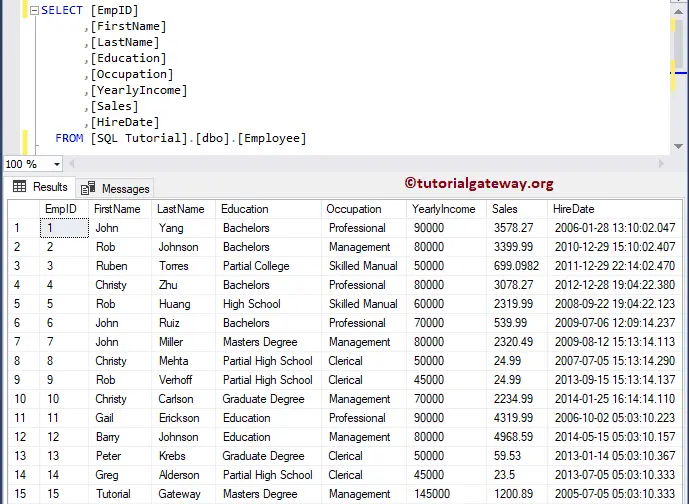
In this article, we will see how to Select Rows with Maximum Value on a Column in SQL Server with examples. For this, We are going to use the below-shown data
Select Rows with Maximum Value on a Column in SQL Server Example 1
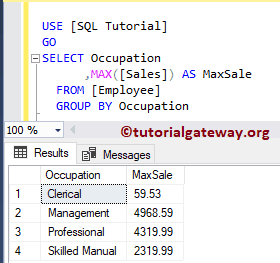
If you are returning the group column, and the column with the Maximum value, you can use the below statement. As you can see, we used the Max function along with Group By.
SELECT Occupation
      ,MAX([Sales]) AS MaxSale
  FROM [Employee]
  GROUP BY Occupation
Select Rows with Maximum Value on a Column Example 2
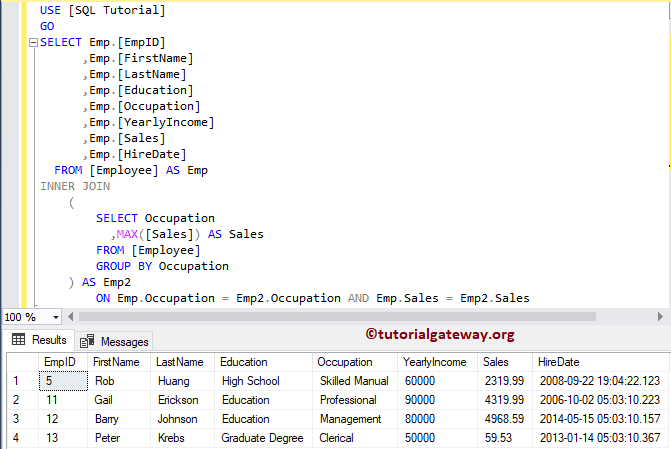
In this example, we will show how to select rows with max value along with the remaining columns. It is useful if you want to return the remaining columns (non-group by columns).
For this SQL Server example, we used the Inner Join to join the employee table with itself.
SELECT Emp.[EmpID]
      ,Emp.[FirstName]
      ,Emp.[LastName]
      ,Emp.[Education]
      ,Emp.[Occupation]
      ,Emp.[YearlyIncome]
      ,Emp.[Sales]
      ,Emp.[HireDate]
  FROM [Employee] AS Emp
INNER JOIN
	(
		SELECT Occupation
		  ,MAX([Sales]) AS Sales
		FROM [Employee]
		GROUP BY Occupation
	) AS Emp2
		ON Emp.Occupation = Emp2.Occupation AND Emp.Sales = Emp2.Sales
Select Rows with Maximum Value on a Column Example 3
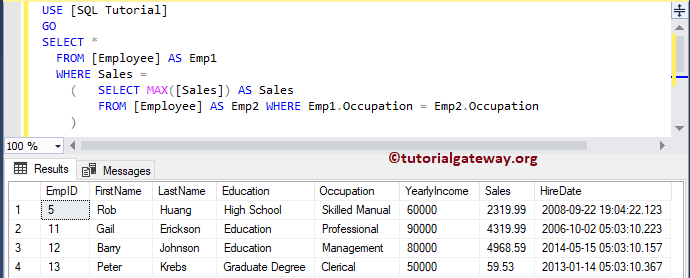
It is another approach. Here, we are using the Select statement in the Where Clause.
SELECT *
  FROM [Employee] AS Emp1
  WHERE Sales =
	(	SELECT MAX([Sales]) AS Sales
		FROM [Employee] AS Emp2 WHERE Emp1.Occupation = Emp2.Occupation
	)
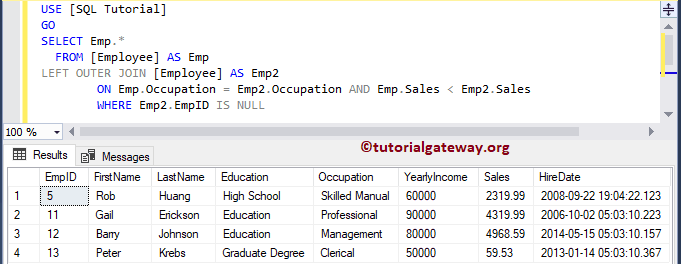
In this example, we used the Left Join along with Is Null.
SELECT Emp.*
  FROM [Employee] AS Emp
LEFT JOIN [Employee] AS Emp2
		ON Emp.Occupation = Emp2.Occupation AND Emp.Sales < Emp2.Sales
		WHERE Emp2.EmpID IS NULL