Write a Python Program to Merge Two Dictionaries with a practical example. There are two options to achieve the same. The first option uses the built-in update() function, and the other option uses **.
Python Program to Merge Two Dictionaries Example
In this program, we use the dictionary update() function to update first_Dict with second_Dict values.
first_Dict = {1: 'apple', 2: 'Banana' , 3: 'Orange'}
second_Dict = { 4: 'Kiwi', 5: 'Mango'}
print("First : ", first_Dict)
print("Second : ", second_Dict)

first_Dict.update(second_Dict)

print("\nAfter Concatenating : ")
print(first_Dict)

Merge two Dictionaries using **
It is another way to merge in Python. In this program, we are using the dict keyword to create a new Dictionary using first_Dict and ** second_Dict. Here, ** allows you to pass multiple arguments.
first_Dict = {'a': 'apple', 'b': 'Banana' , 'o': 'Orange'}
second_Dict = { 'k': 'Kiwi', 'm': 'Mango'}
print("First : ", first_Dict)
print("Second : ", second_Dict)

print("\nAfter Concatenating : ")
print(dict(first_Dict, **second_Dict) )

Concatenate Two Dictionaries using functions
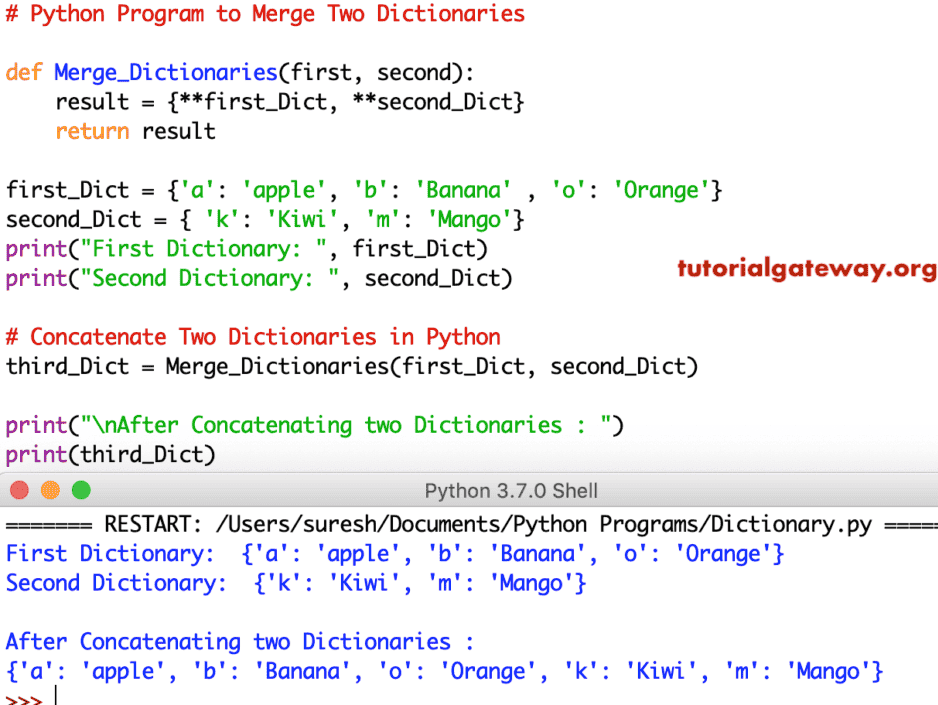
This code is the same as above. However, using Function, we separated the two dictionaries’ concatenation logic in this program.
def Merge_Dictionaries(first, second):
    result = {**first_Dict, **second_Dict}
    return result

first_Dict = {'a': 'apple', 'b': 'Banana' , 'o': 'Orange'}
second_Dict = { 'k': 'Kiwi', 'm': 'Mango'}
print("First Dictionary: ", first_Dict)
print("Second Dictionary: ", second_Dict)

# Concatenate Two Dictionaries
third_Dict = Merge_Dictionaries(first_Dict, second_Dict)

print("\nAfter Concatenating two Dictionaries : ")
print(third_Dict)