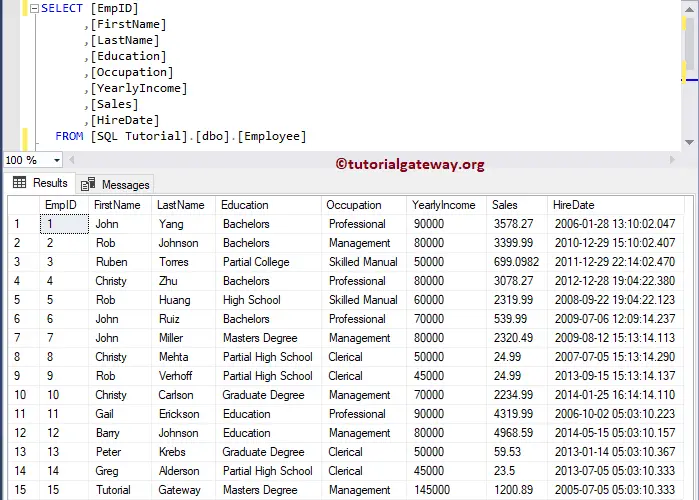
In this article, we will show you how to Select Top N Records for each Category or in each group in SQL Server with example. For this select Top 3 demo, We are going to use the below-shown data
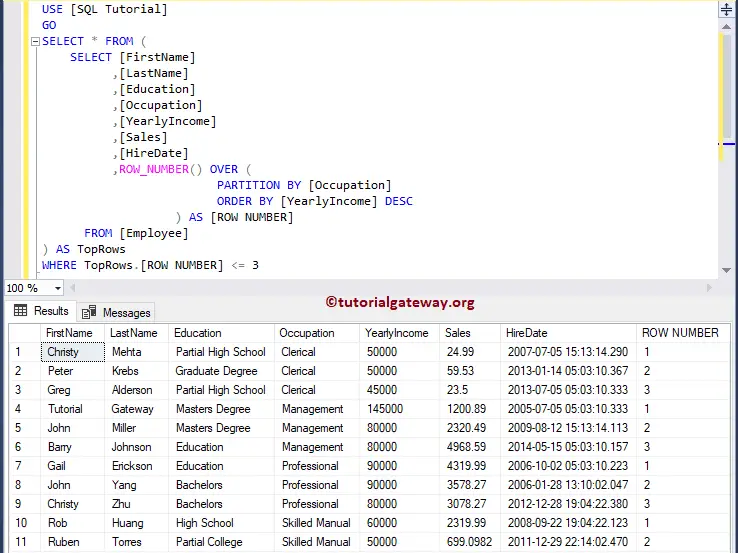
Select Top N Records for each Category in SQL Example 1
In this SQL Server example, we show you how to Select Top 2 rows in each Group using a subquery.
-- Select First Row in each SQL Group By group

SELECT * FROM (
SELECT [FirstName]
      ,[LastName]
      ,[Education]
      ,[Occupation]
      ,[YearlyIncome]
      ,ROW_NUMBER() OVER (
                     PARTITION BY [Occupation]
                     ORDER BY [YearlyIncome] DESC
         	   ) AS [ROW NUMBER]
  FROM [Customers]
  ) groups
WHERE groups.[ROW NUMBER] = 1
ORDER BY groups.YearlyIncome DESC
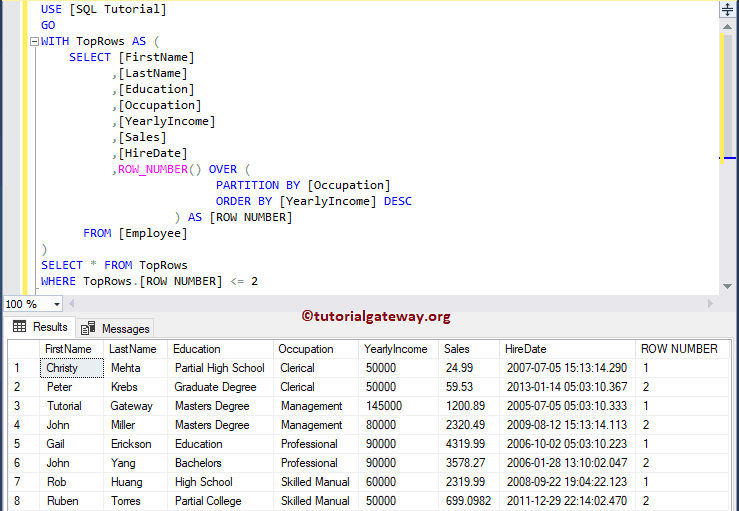
Select Top 2 Records for each Category in SQL Server Example 2
The ROW_NUMBER Function allows you to assign the rank number to each record present in a partition. You can also use remaining Ranking functions, as per your requirements.
- Within the CTE, First, partition the data by Occupation and assign the rank number using the yearly income.
- Next, it is going to select the top 2 rows from each group.
WITH TopRows AS (
	SELECT [FirstName]
		  ,[LastName]
		  ,[Education]
		  ,[Occupation]
		  ,[YearlyIncome]
		  ,[Sales]
		  ,[HireDate]
		  ,ROW_NUMBER() OVER (
						 PARTITION BY [Occupation]
						 ORDER BY [YearlyIncome] DESC
         		   ) AS [ROW NUMBER]
	  FROM [Employee]
)
SELECT * FROM TopRows
WHERE TopRows.[ROW NUMBER] <= 2