
MySQL MONTHNAME is one of the Date Functions, which returns the full name of the Month for a given date. This one gets the full name and returns January, February.., and December. The basic syntax of the Monthname Function is as shown below:
MONTHNAME(date or expression);
MySQL Monthname function Example
The below shown queries help you understand the use of this method. Here, we are returning the name of the Month from the different date expressions and the Datetime expression. Also, read about the MySQL MONTH function.
SELECT MONTHNAME('2016-12-22');

SELECT MONTHNAME('2016-07-22 12:22:33');

SELECT NOW(), MONTHNAME(NOW());
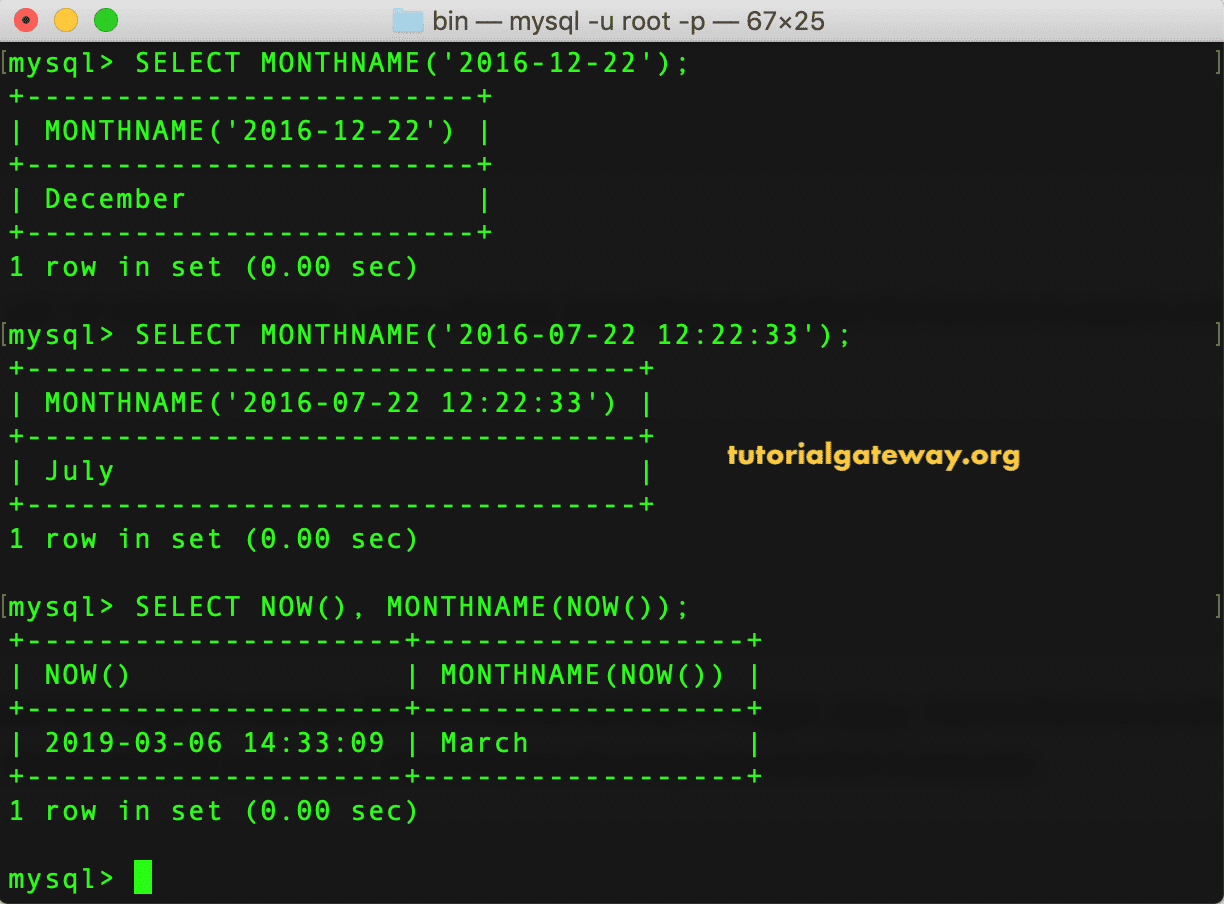
Month Name Example 2
The following Monthname Function query shows you what happens when we try to return the month number from different date formats. In this method example, we are trying to return the full name of a month from YYYYMMDD, YYMMDD, YYYYMMDDHHMMSS formats.
SELECT MONTHNAME('20170922');

SELECT MONTHNAME('750122');

SELECT MONTHNAME('19750622101434');

In this MySQL example, we are trying to return the full name of a month from an invalid date and zero month part. Within the last statement, we used the CURDATE() inside the MONTHNAME method and added 4 and 42.
TIP: Please refer to the MySQL DATE_FORMAT and MySQL YEAR functions from the list of available MySQL Date functions.
SELECT MONTHNAME('1975-00-00');

SELECT MONTHNAME('750439');

SELECT MONTHNAME(CURDATE() + 4), MONTHNAME(CURDATE() + 42);
