The C fputc function is useful to write the character(s) to the specified stream at the current position in a file and then advance the pointer position. This article shows how to write the character, character array (string), or string data to a File using fputc with an example. Use the fputc function to write the complete string and the Syntax of this function is
int fputc(int char, FILE *stream)
or
int fputc(int char, <File Pointer>)
We use the empty file to demonstrate the fputc function. You have to include the #include<stdio.h> header before using this fputc function.
fputc in C Programming Example
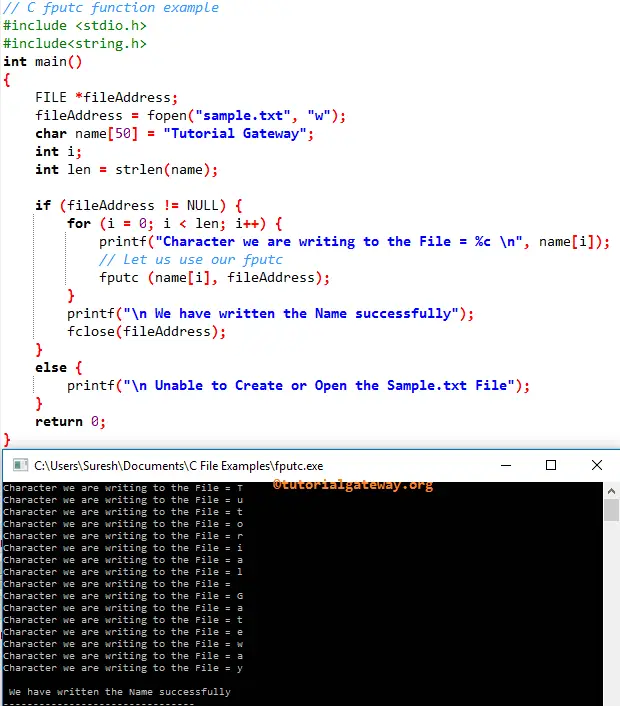
The fputc function writes the character(s) to the user-specified file. This C program will help you to understand the same.
#include <stdio.h>
#include<string.h>

int main()
{
   FILE *fileAddress;
   fileAddress = fopen("sample.txt", "w");
   char name[50] = "Tutorial Gateway";
   int i;
   int len = strlen(name);

   if (fileAddress != NULL) {
	for (i = 0; i < len; i++) {
           printf("Character we ar writing to the File = %c \n", name[i]);
	   // Let us use
	   fputc (name[i], fileAddress);
	}
	printf("\n We have written the Name successfully");
	fclose(fileAddress);
   }
   else {
  	  printf("\n Unable to Create or Open the Sample.txt File");
   }
   return 0;
}
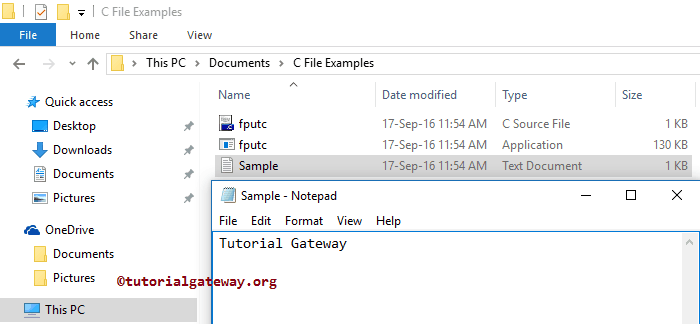
Let us open the File to see whether it returned the characters.