
How to write a query to Calculate Running Total in SQL Server with example. For this frequently asked interview question, we will use the below-shown data.
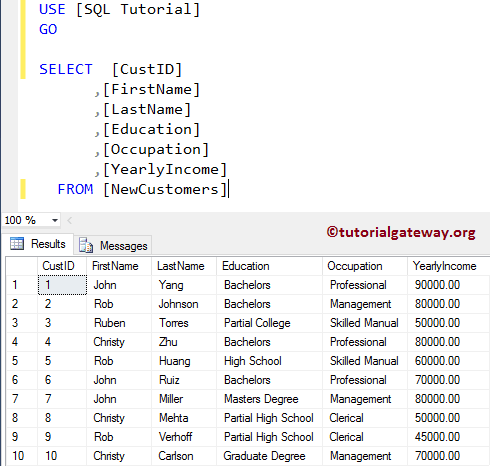
Calculate Running Total Example
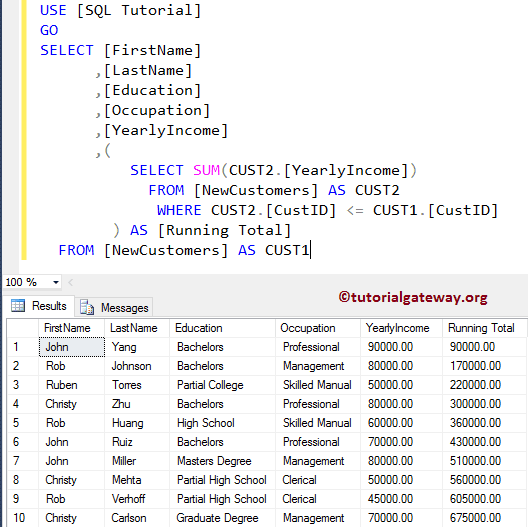
In this example, we will show you how to find the Running Total using the SUBQUERY.
SELECT [FirstName]
      ,[LastName]
      ,[Education]
      ,[Occupation]
      ,[YearlyIncome]
      ,(
	 SELECT SUM(CUST2.[YearlyIncome])
         FROM [NewCustomers] AS CUST2
         WHERE CUST2.[CustID] <= CUST1.[CustID]
	) AS [Running Total]
  FROM [NewCustomers] AS CUST1
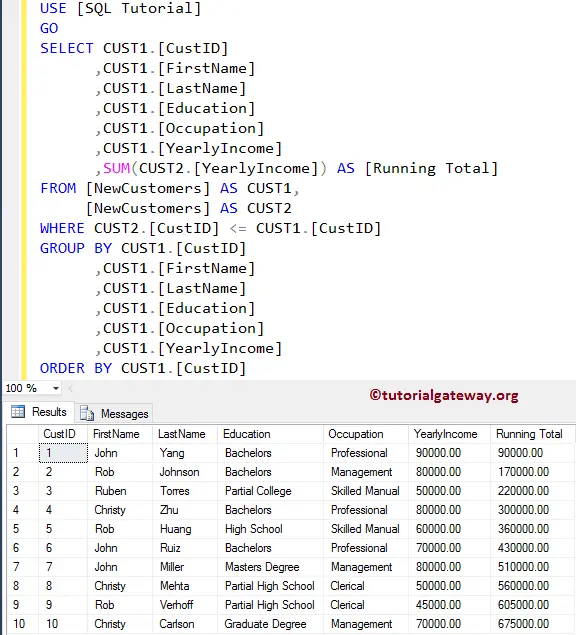
This example shows how to calculate the Running Total using the JOIN, GROUP BY, and ORDER BY Clause.
SELECT CUST1.[CustID]
      ,CUST1.[FirstName]
      ,CUST1.[LastName]
      ,CUST1.[Education]
      ,CUST1.[Occupation]
      ,CUST1.[YearlyIncome]
      ,SUM(CUST2.[YearlyIncome]) AS [Running Total]
FROM [NewCustomers] AS CUST1,
     [NewCustomers] AS CUST2
WHERE CUST2.[CustID] <= CUST1.[CustID]
GROUP BY CUST1.[CustID]
	,CUST1.[FirstName]
        ,CUST1.[LastName]
        ,CUST1.[Education]
        ,CUST1.[Occupation]
        ,CUST1.[YearlyIncome]
ORDER BY CUST1.[CustID]
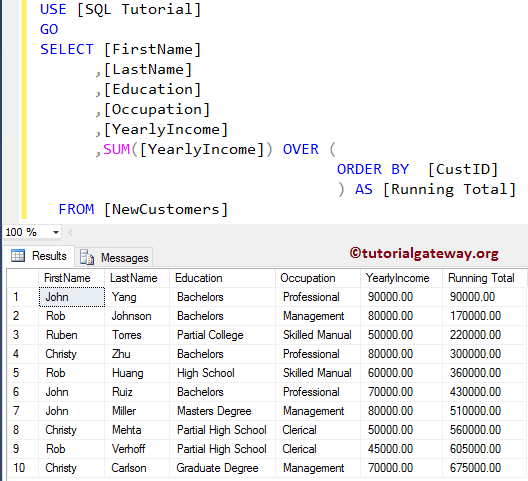
In this Server example, we will find the Running Total using the SUM Function and OVER.
SELECT [FirstName]
      ,[LastName]
      ,[Education]
      ,[Occupation]
      ,[YearlyIncome]
      ,SUM([YearlyIncome]) OVER (
			          ORDER BY  [CustID]
				) AS [Running Total]
  FROM [NewCustomers]
and the more traditional way is
SELECT [FirstName]
      ,[LastName]
      ,[Education]
      ,[Occupation]
      ,[YearlyIncome]
      ,SUM([YearlyIncome]) OVER (
			          ORDER BY  [CustID] ROWS UNBOUNDED PRECEDING
				) AS [Running Total]
  FROM [NewCustomers]
Comments are closed.